
XIAO 1.47-inch IPS Touch Display
Questi contenuti non sono ancora disponibili nella tua lingua.
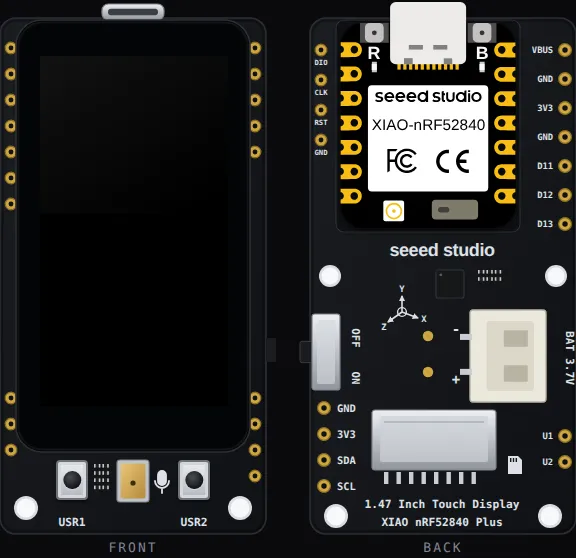
The board as it appears on the Velxio canvas, with its full pin map
read live from the simulator (regenerated by scripts/gen-boards.mjs,
so it always matches what you can wire).
Family: Pro boards · Languages: Arduino C++
About this board
Section titled “About this board”The flagship of the three: a JD9853A 172 x 320 IPS panel with a capacitive touch layer and a microSD slot, on a carrier with a pre-soldered XIAO nRF52840 Plus, two user buttons (USR1 D19, USR2 D15), a 6-axis IMU and a battery connector. The canvas shows the board front and back. A click on the glass is a finger on the touch controller; the card holds your project’s files plus whatever you add through the board’s SD Card panel.
Drive the panel with Seeed_GFX2, which the board declares for you. Tilt the board and set the battery level from Sensors on the canvas toolbar. The PDM microphone is not modelled.
Start here
Section titled “Start here”- GraphicTest — Seeed’s ten drawing primitives, timed on the serial monitor.
- Touch Circle — draw on the glass with the mouse.
- Read text off the microSD — the card and the panel sharing one SPI bus.
Pins (13)
Section titled “Pins (13)”- GND
- 3V3
- SDA
- SCL
- VBUS
- GND.1
- 3V3.1
- GND.2
- D11
- D12
- D13
- U1
- U2
Every pin above is clickable on the canvas — click one to start a wire. Board-level behavior, quirks and example links live on the family page.