
Pimoroni Stellar Unicorn
Questi contenuti non sono ancora disponibili nella tua lingua.
The board as it appears on the Velxio canvas, with its full pin map
read live from the simulator (regenerated by scripts/gen-boards.mjs,
so it always matches what you can wire).
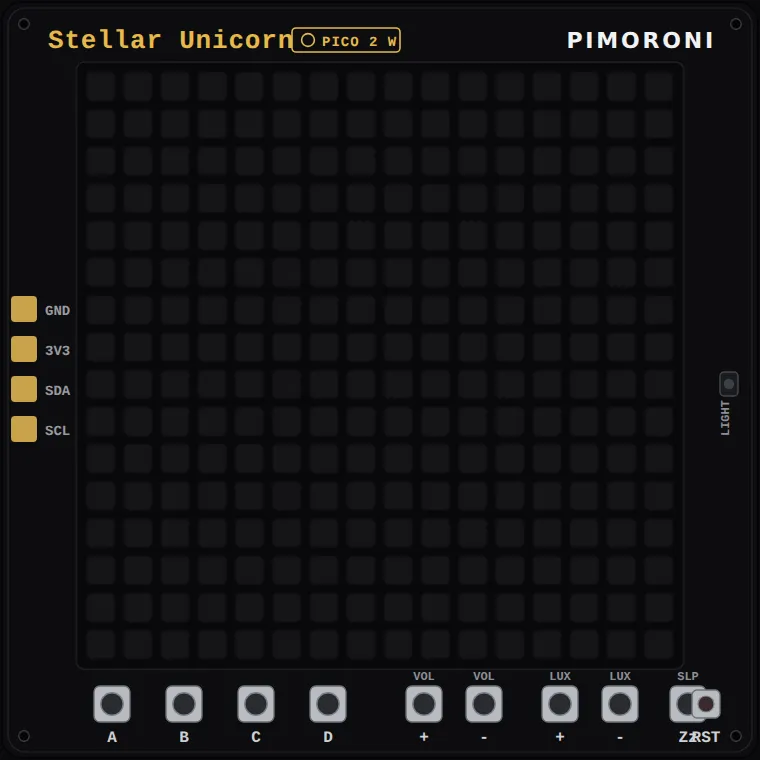
Family: Pro boards · Languages: Arduino C++
About this board
Section titled “About this board”Pimoroni’s square Unicorn: 256 RGB LEDs in a 16 x 16 grid filling the front of a 108 x 108 mm board, with a Raspberry Pi Pico 2 W soldered to the back next to a MAX98357 amplifier and a 30 mm speaker, nine tactile buttons, a reset button, two Qw/ST connectors and a JST-PH battery input. A phototransistor sits at the right-hand edge of the front.
Its siblings are the same idea in other shapes — Galactic Unicorn is 53 x 11 and wide, Cosmic Unicorn is 32 x 32. Stellar is the square one.
How the panel is driven, because it is the surprising part: there is no display controller. The RP2350 shifts raw column data into a chain of driver chips one row at a time, then repeats each row 14 times with exponentially growing on-times. That is binary code modulation — the brightness of a pixel is which of the 14 passes it is lit in — and it is how a chip with no PWM to spare paints 14-bit-per-channel gradients at around 300 refreshes a second.
Velxio decodes exactly the buffer that driver builds: the same 24-byte blocks,
the same both-axes mirror, the same gamma table, brightness applied before the
gamma. So what lights a pixel here is what lights it on the desk, and the LUX
buttons dim the panel through the hardware’s own maths. Every example shares a
port of Pimoroni’s libraries/stellar_unicorn, including their PIO program.
What runs here: the panel, all nine buttons (click them along the bottom edge),
the light sensor on GP28/ADC2, I2C on the Qw/ST pins with Velxio’s demo
devices, UART, USB serial, SPI, timers and the chip’s own temperature sensor.
Not emulated: audio — the I2S pins toggle, the speaker is silent — and WiFi,
because the simulator attaches one PIO peripheral per board and the panel has
it.
Start here
Section titled “Start here”- Rainbow — Pimoroni’s
rainbow.py: diagonal stripes across all 256 LEDs, with A/B for speed, C/D for stripe width, VOL +/- for hue and LUX +/- for brightness. - Fire effect — their
fire_effect.py, simulated on a grid taller than the panel so the flames have somewhere to come from. - The matrix — their
numpy/the_matrix.py: green rain. HELLO NEO. - Feature test — their
feature_test.py: gradients, a checkerboard, and the panel naming whichever button you hold. - Thermometer — their
thermometer_pico.py, reading the chip’s own on-die sensor. - Clock — their
clock.py, with the time coming off the demo DS1307 on the Qw/ST bus instead of NTP.
Pins (4)
Section titled “Pins (4)”- GND
- 3V3
- GP4
- GP5
Every pin above is clickable on the canvas — click one to start a wire. Board-level behavior, quirks and example links live on the family page.