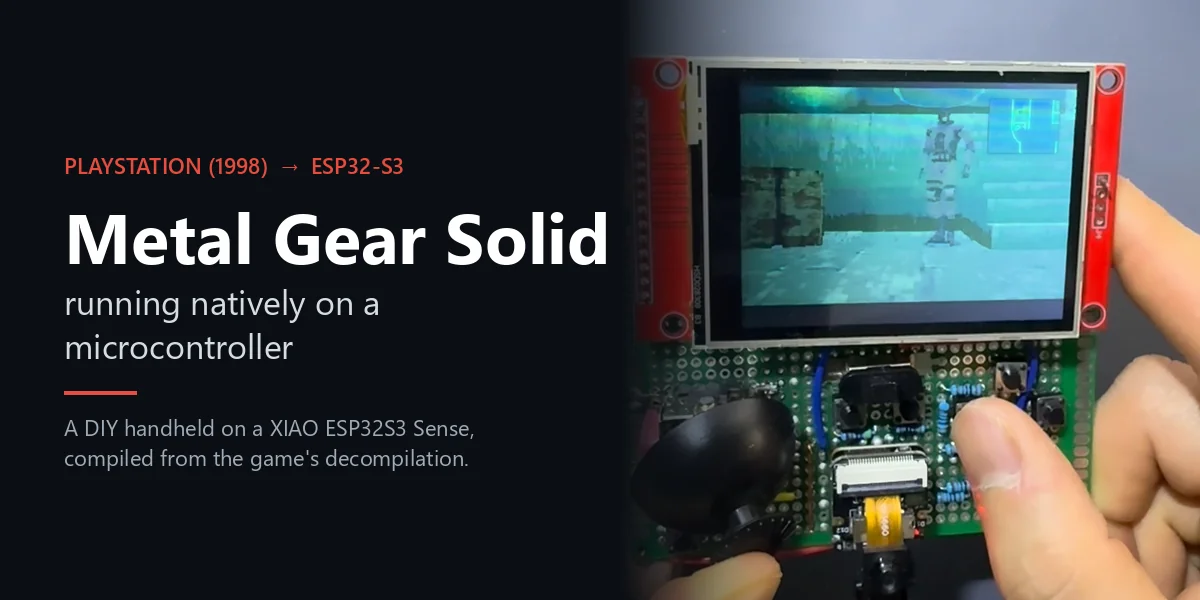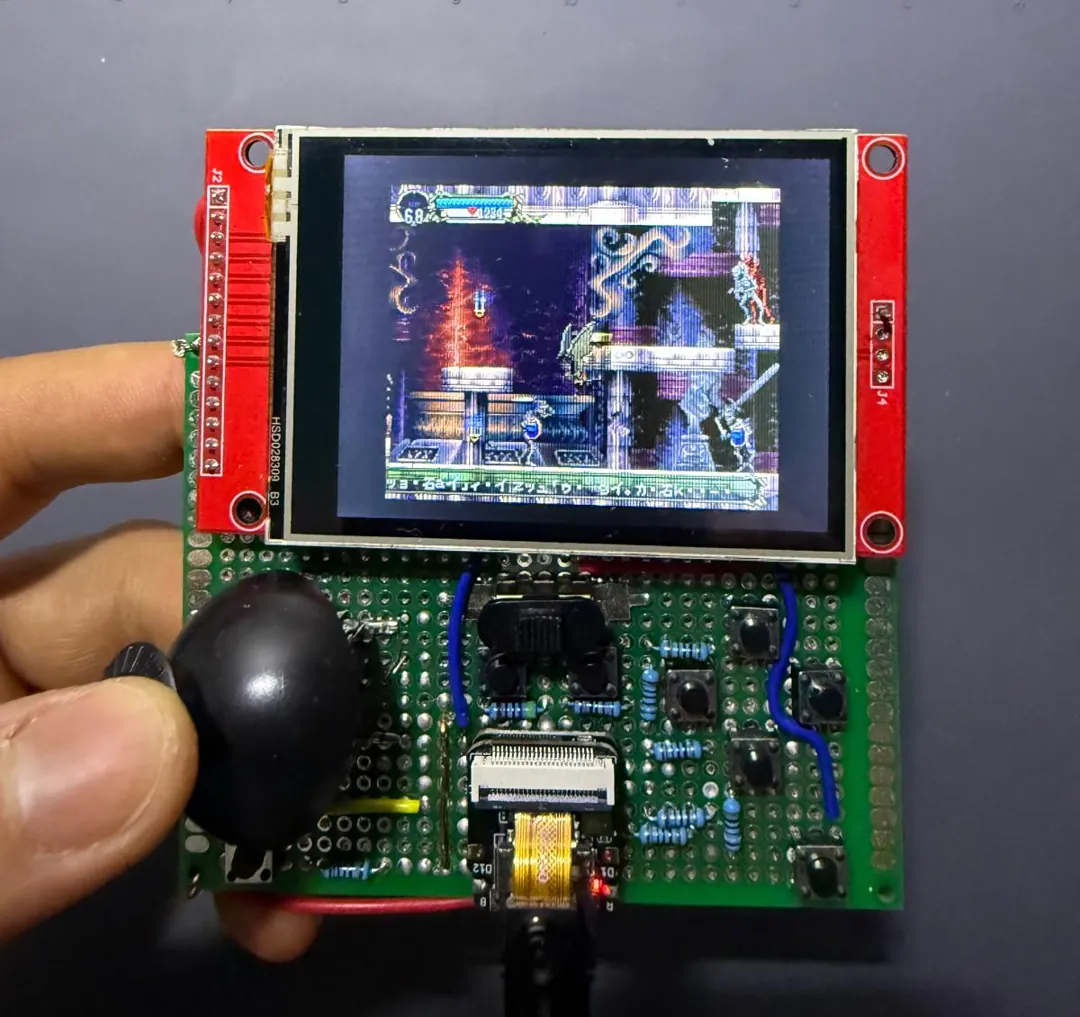
In the Metal Gear Solid article I showed the handheld console I built around a XIAO ESP32S3 Sense. Castlevania: Symphony of the Night (SOTN) is the other PlayStation game it runs, and the one that came first: it was running at 60 fps on a Waveshare ESP32-S3 development board before the handheld existed, and later moved onto it.
It was possible for the same reason as Metal Gear Solid. SOTN’s community decompilation builds as portable C, so the game can be compiled for the ESP32-S3 instead of emulated.
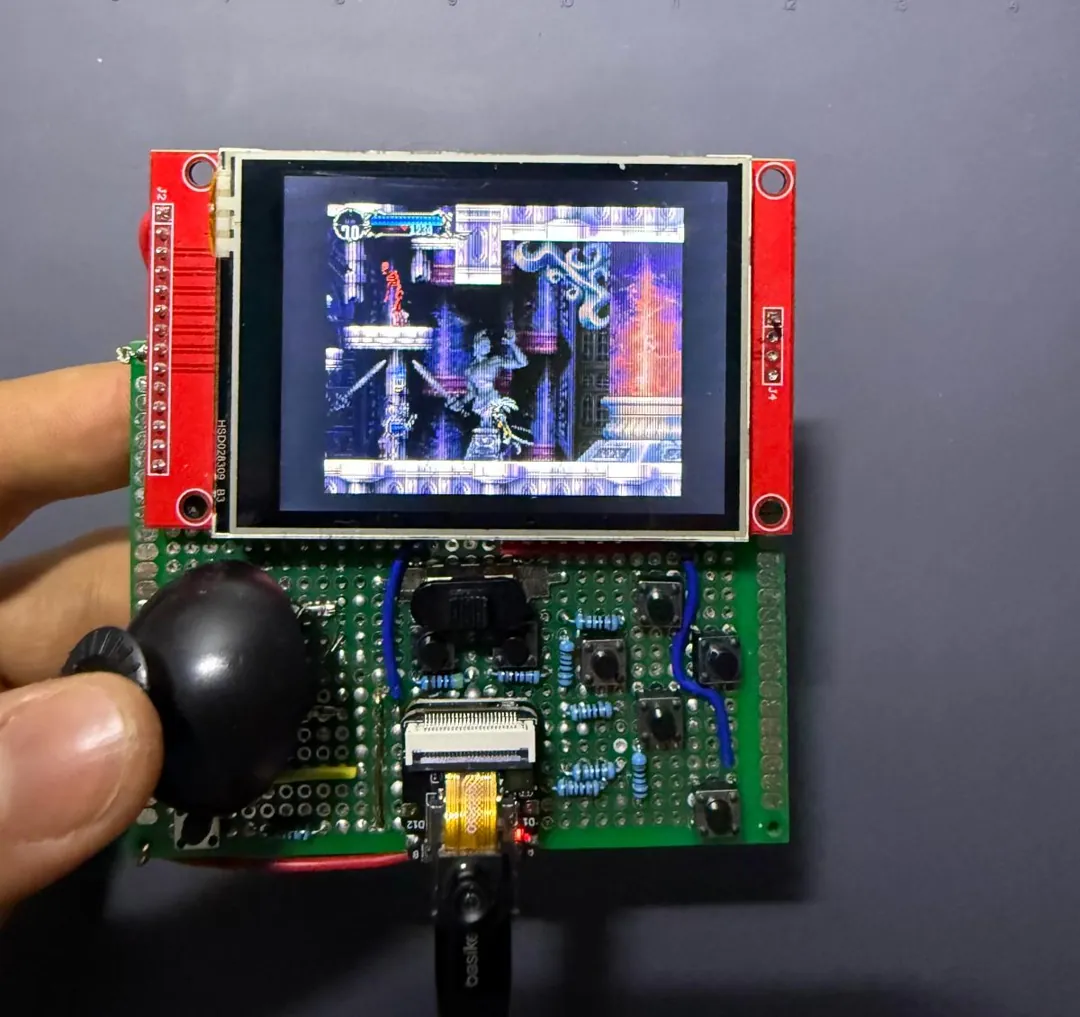
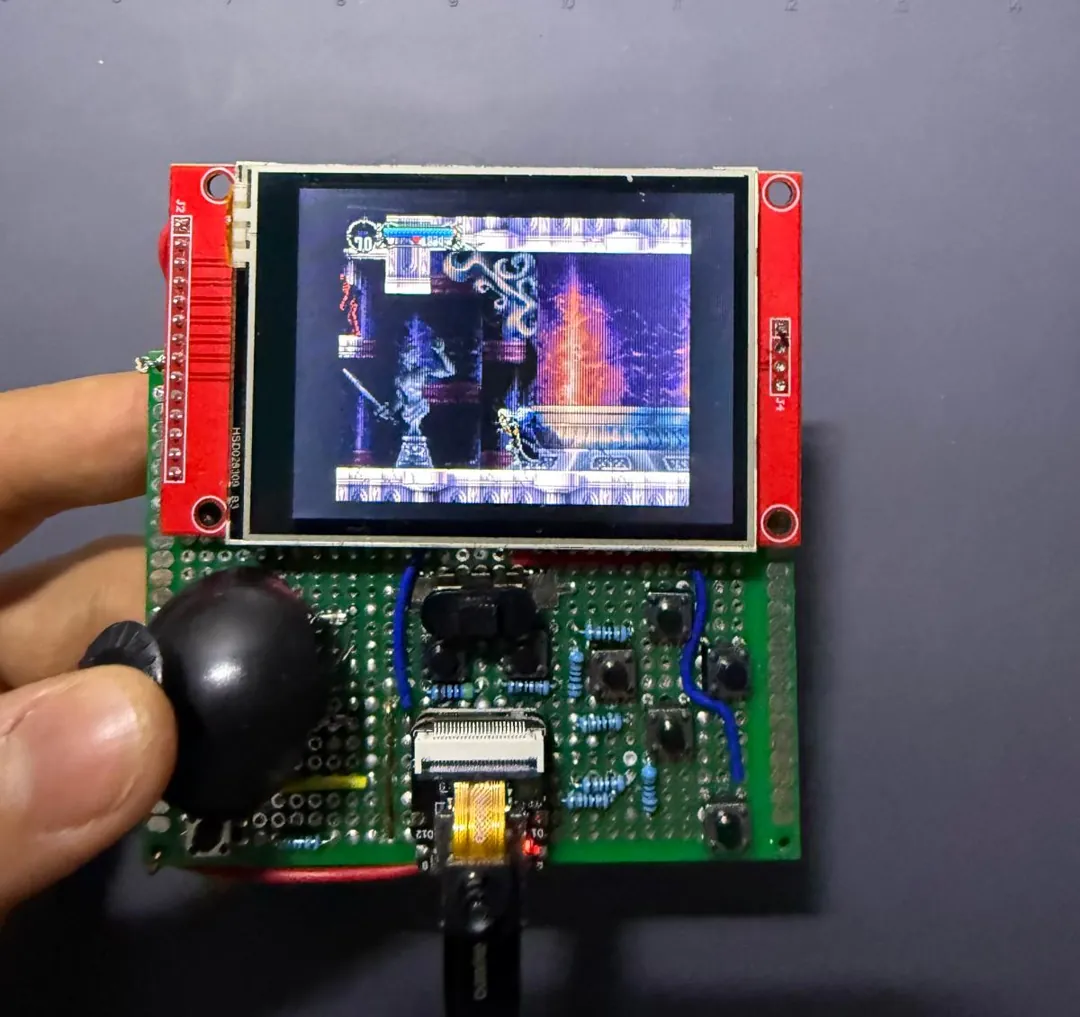
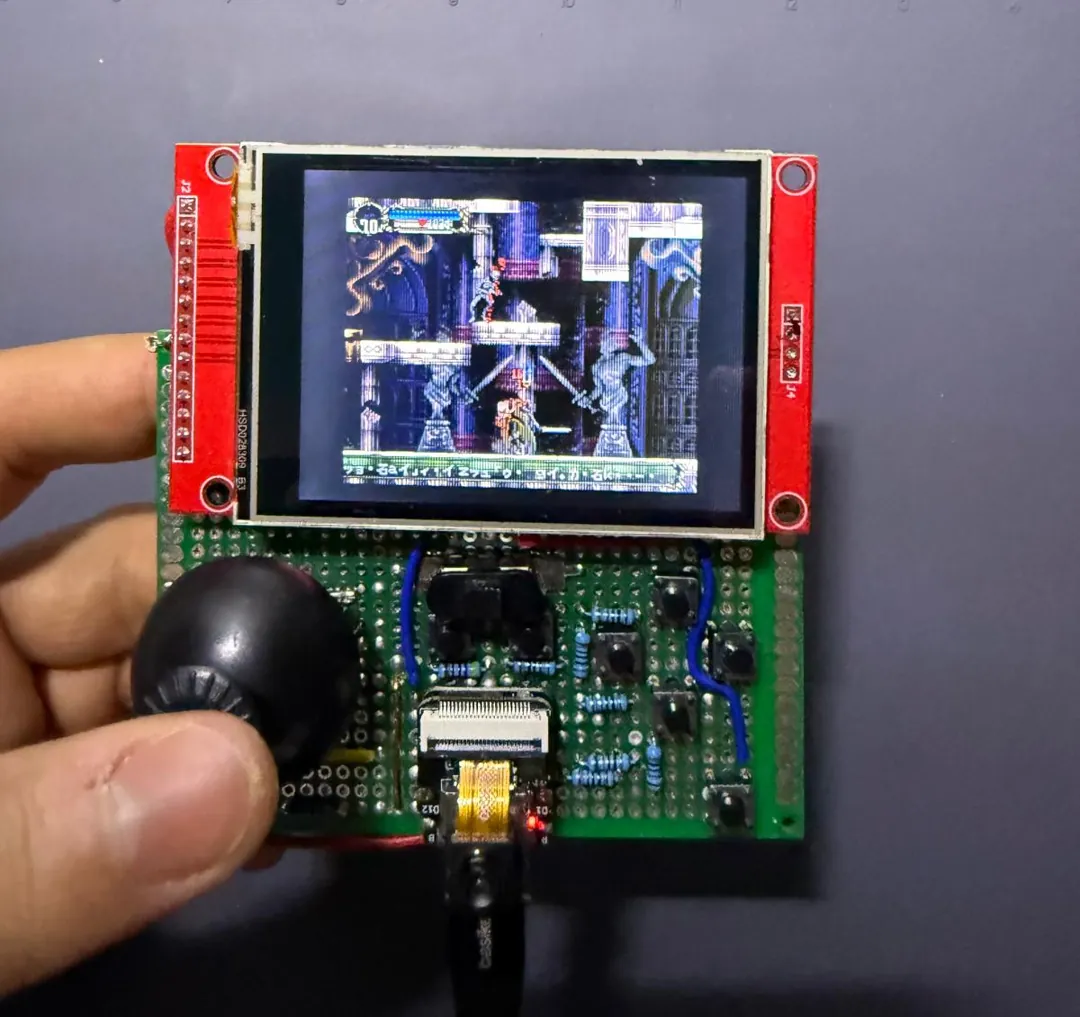
Gameplay on the handheld: watch it on YouTube.
This article covers how the port is structured, how the game fits into the SoC’s memory, how the software rasterizer reached 60 fps, the bugs the original hardware had been hiding, and a handheld console I built around a Seeed XIAO ESP32S3 Sense.
Why a native port is possible
Emulating a PlayStation on an ESP32-S3 is out of reach. An emulator has to interpret a MIPS CPU and a GPU instruction by instruction, which needs several times the performance the SoC has.
Porting is different. The SOTN decompilation project has reconstructed the game as C source that compiles to a PC executable. The game logic is ordinary C, and the only thing tying it to the console is Sony’s SDK: the library calls that draw polygons, upload textures, read the controller and play sounds. The PC build replaces that SDK with psyz, a reimplementation on top of SDL.
The job, then, has three parts:
- Compile the game for Xtensa.
- Replace psyz’s PC backend with one for the SoC.
- Make everything fit.
The target SoC is the ESP32-S3:
- Two Xtensa LX7 cores at 240 MHz.
- 512 KB of internal SRAM.
- 8 MB of octal PSRAM (external, much slower).
- 16 MB of flash on the first board and 8 MB on the handheld.
- No GPU.
Architecture
The layers, from the game down to the hardware:
- Game: decompiled engine, player and weapon code, stages
- psyz: SDK reimplementation with PSYZ_RENDERER=soft
- Platform layer (esp32/main): VSync, root counters, input, FAT files, audio, LCD scanout
- ESP32-S3 hardware: LX7 cores, SRAM, PSRAM, flash, SPI LCD
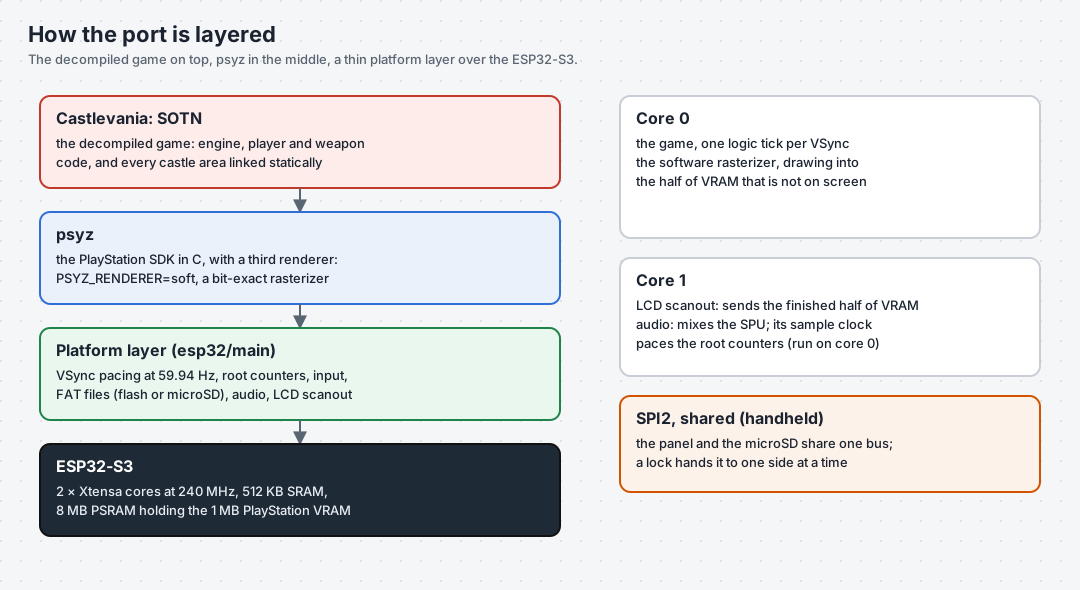
- Game: the decompiled engine (
src/dra), the player and weapon code, and each castle area (“stage”). These are unchanged except for bug fixes. - psyz: the SDK reimplementation. I added a third renderer to it,
PSYZ_RENDERER=soft. It is a packet parser plus a rasterizer core with no SDL dependency, so the same file compiles on Windows (for testing against the GPU reference) and on the SoC. - Platform layer (
esp32/main): VSync pacing at 59.94 Hz, the root counters that drive the sound sequencer, controller input, file access over FAT, audio mixing on the second core, and the LCD scanout.
Two design decisions shaped everything else.
VRAM stays the game’s own buffer. The PlayStation has 1 MB of video memory, 1024×512 pixels of 16-bit color. The decomp already models it as a plain array. The rasterizer draws straight into it (in PSRAM), and the LCD is fed from it. There are no shadow copies and no format conversions except the final one to the panel’s RGB565.
Stages are linked statically. On a PC, each castle area is a DLL loaded on demand. The ESP32-S3 has no dynamic linker, so every area is compiled into the firmware, and a small table maps a stage name to its init function. That decision caused problems twice, as described in “Bugs the PlayStation forgives” and “Adding a stage” below.
Fitting a PlayStation game into 512 KB
The first link failed by 3.34 MB of internal RAM. Most of that was not the game’s fault:
g_TileDefDataPoolwas declared asTileDefinition[0x40][4][0x1000]. On 32-bit pointers that is 16 to 32 MB to hold about 1 MB of data. Retyping it to bytes fixed the biggest item.- The sound library allocated a 512 KB array on the stack. That works on a PC; on a microcontroller it crashes immediately.
- Large buffers that are only touched occasionally moved to PSRAM with
EXT_RAM_BSS_ATTR. - Read-only tables were marked
const, which places them in flash.
That last one has a trap: some “read-only” data is written. The SDK updates the sound bank headers in place when a bank is opened. Declared const, they live in flash, and writing to flash through the cache is a hard fault (“Dbus write to cache”). The pattern that works is to keep a const master in flash, copy it to a PSRAM buffer at startup, and let the game write the copy.
After 28 rounds of linking, the numbers were:
- 207 KB of initialized data in internal RAM.
- 43 KB of zero-initialized data in internal RAM.
- 55 KB of IRAM code.
- 3 MB of statics in PSRAM.
- About 100 KB of internal heap free at runtime.
The software rasterizer, and getting to 60 fps
SOTN is a 2D game, and its primitive mix is small: textured and Gouraud quads, 16×16 sprites for the tile layers, rectangles, and lines. There is no 3D and no geometry transform engine, which made a software rasterizer realistic.
The rasterizer is bit-exact against the GPU reference build. I compared frame checksums between the PC build and the board after every optimization.
Most of the frame time went to memory access. Every textured pixel reads a texel and a palette entry from PSRAM and writes a pixel to PSRAM. The optimizations that mattered all reduce that traffic:
| Step | Result |
|---|---|
| Triangle edge stepping: divides, then 64-bit accumulators, then 32-bit 16.16 | 64-bit was slower on a 32-bit core; 16.16 shipped |
| Scanout moved to core 1, fed by a notify | The game never waits for SPI |
| Palette cache in internal RAM, raster loops in IRAM | Warp Room at 31 fps |
| Tile layer fast path: 4 texels per read, pixel pairs as 32-bit stores | 10.4 ms to 6.1 ms per frame |
| Scan out from the buffer the game just finished drawing | No copy, one frame less latency |
| PSRAM and flash from 80 to 120 MHz | 19.4 ms to 16.4 ms per frame: 60 fps |
I also tried a texture-row cache in the triangle rasterizer and reverted it. It gained nothing, because GCC had already hoisted the loads.
The change to scan out from the finished buffer needs some explanation. The obvious source for the display is the SDK’s current display area, but it lags one frame behind: at VSync it names the buffer the game is about to draw into. Scanning from it meant the DMA and the rasterizer were fighting over the same half of VRAM for the whole frame. Reading the display origin from the game’s own buffer struct makes the two work on opposite halves by construction.
Bugs the PlayStation forgives
The PlayStation has no memory protection. A stray read returns whatever is there, and a stray write lands in memory that often nobody checks. The PC build mostly hides these bugs too, because its statics are large and forgiving. The ESP32-S3 has an MMU, tight memory, and neighbors that matter, so porting to it turned out to be a very good way to find latent bugs.
How I found them
A panic backtrace names the victim, not the culprit. The tool that worked was OpenOCD over the SoC’s built-in USB-JTAG, together with GDB:
- Reset and halt the SoC through OpenOCD.
- Set a breakpoint on the panic handler.
- When it hits, decode the real PC from the panic frame.
- Always decode against the exact ELF that was flashed, because addresses shift on every rebuild.
Palette animation out of bounds
The Alchemy Lab requests palette animation (tileset & 0xFF) + 0x7FFF | 0x4000, which indexes entry 2 of the stage’s palette table. The table has one entry. The out-of-bounds read landed on the adjacent sprite-bank table, which was then registered as a palette-animation descriptor and written every frame.
The fix rejects descriptors whose extent exceeds the palette buffer. The same undefined behavior exists upstream; the PC absorbs it in a large BSS.
Two stages, one HitDetection
With stages linked statically, 122 global symbols were defined in more than one stage. Shared headers implement things like collision and entity updates, and on the PlayStation only one stage was ever loaded. Static archives let the linker silently resolve each name to one definition. The Alchemy Lab ran the Warp Room’s HitDetection against its own entity tables, and corruption appeared a layer later.
The fix is a generated list of every symbol two stages share, renamed per stage with -D defines.
Rooms that mutate their own map
Doors and breakable walls write to the room’s tile map. With the generated maps in flash, the first door crashed the game. The fix is a single point where the active room’s foreground layer is copied to a writable PSRAM buffer.
The enemy name
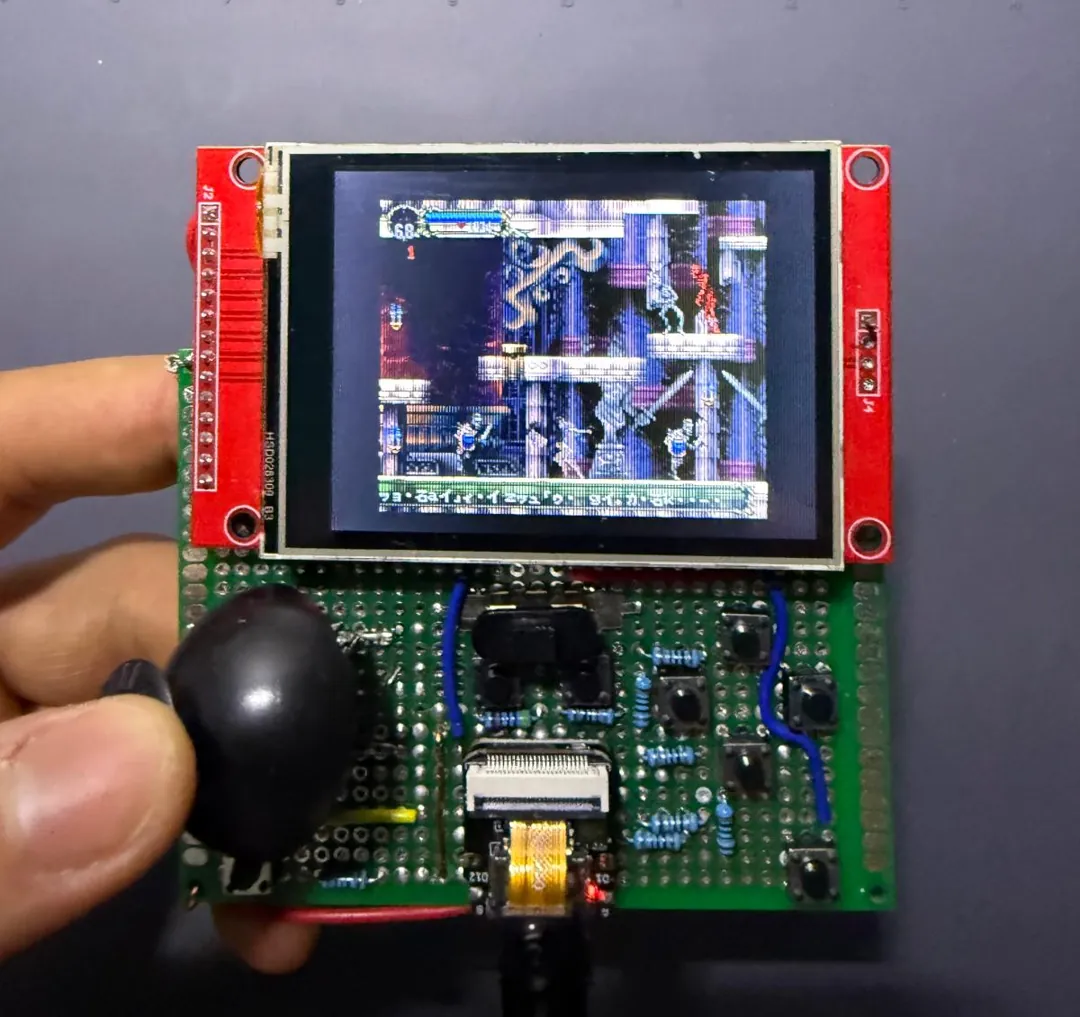
With the Faerie Scroll relic, the game prints the name of the enemy you hit. BottomCornerText scans the string for the PlayStation’s FF 00 terminator. PC strings are plain C strings, so the scan ran off the end and overwrote a 64-byte stack buffer. The symptom was “it freezes as soon as I touch an enemy.” The fix bounds the scan.
A race that didn’t exist on the PlayStation
Audio runs on the second core, and the audio pull was advancing the root counters. Those counters fire the game’s VSync handler, texture uploads and GPU queue callbacks. On the PlayStation those are interrupts on the same CPU. Here they ran concurrently with the game on the other core.
The fix accumulates counter ticks on core 1 and fires the handlers on the game thread.
Input that never arrived
The report was “I can’t jump.” Three bugs were stacked:
- The USB serial port discards incoming bytes while DTR is low, and my keyboard script kept it low to avoid resetting the board.
- The console was configured for the UART while the cable was on native USB.
- An unwired button pin read as permanently pressed, which held CROSS down forever.
The handheld: hardware bring-up on a XIAO ESP32S3 Sense
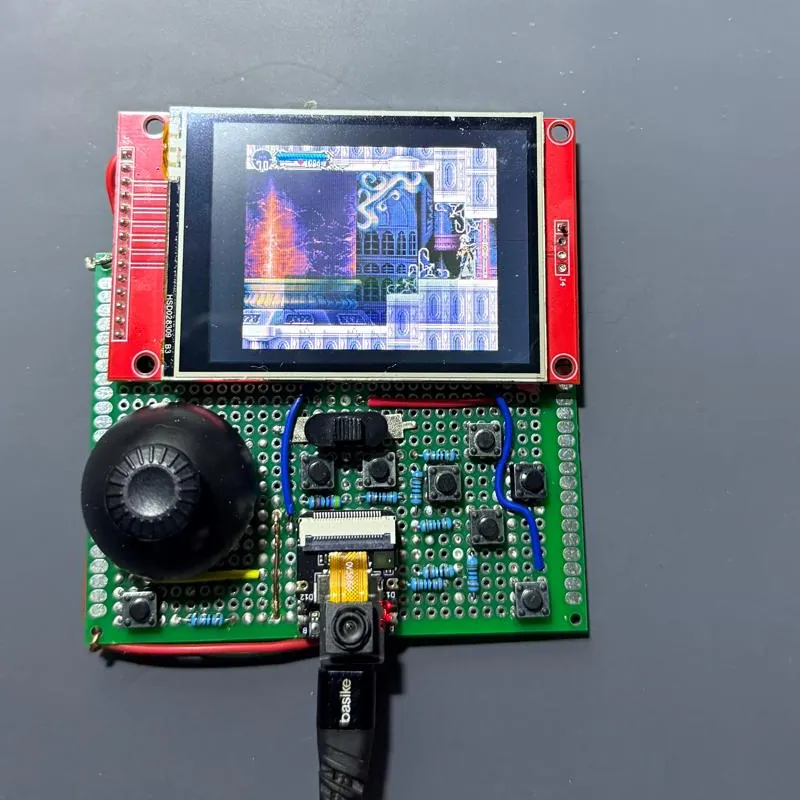
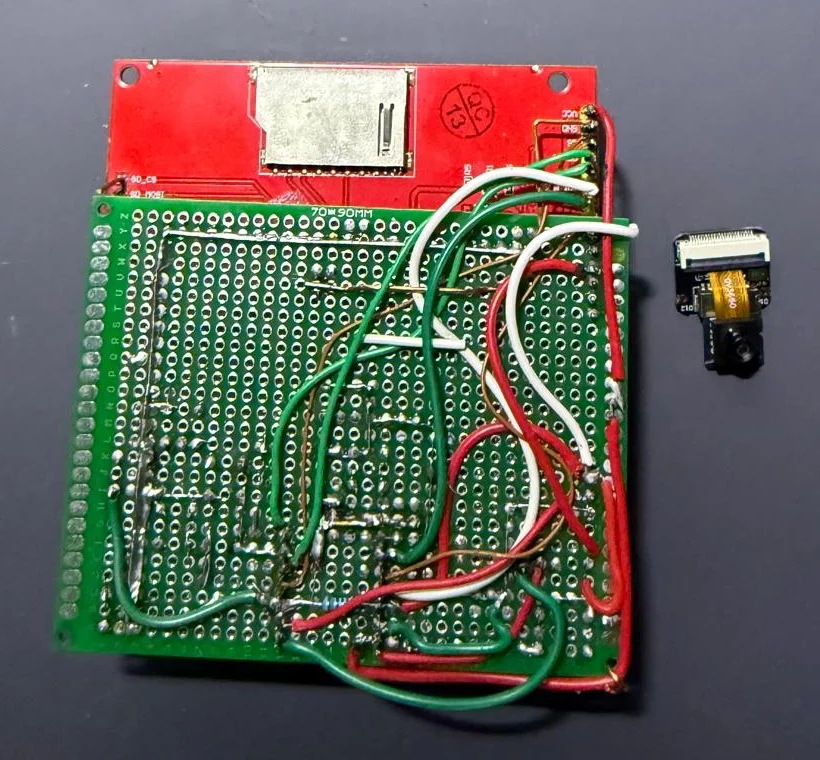
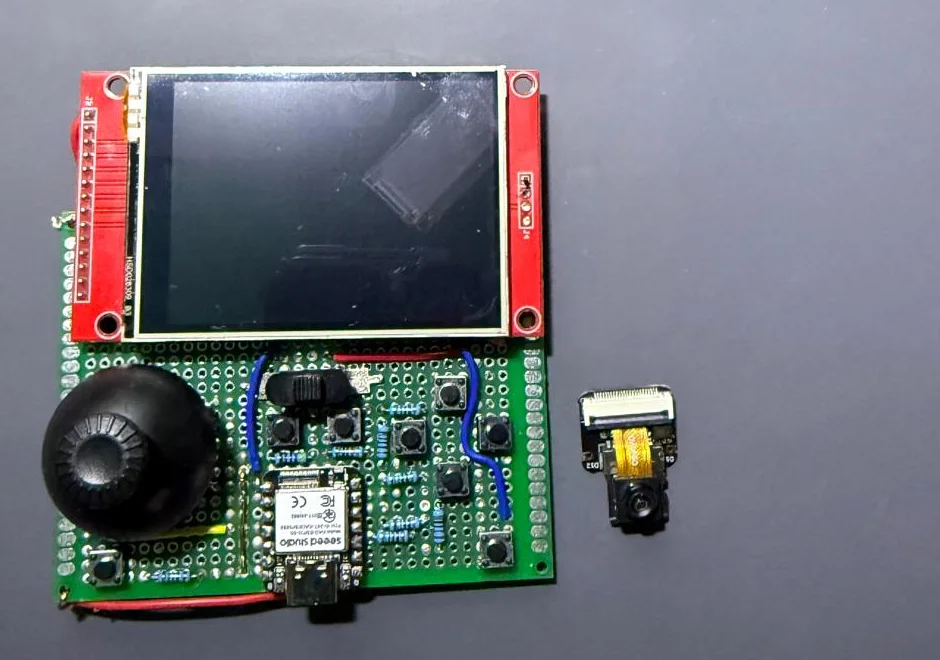
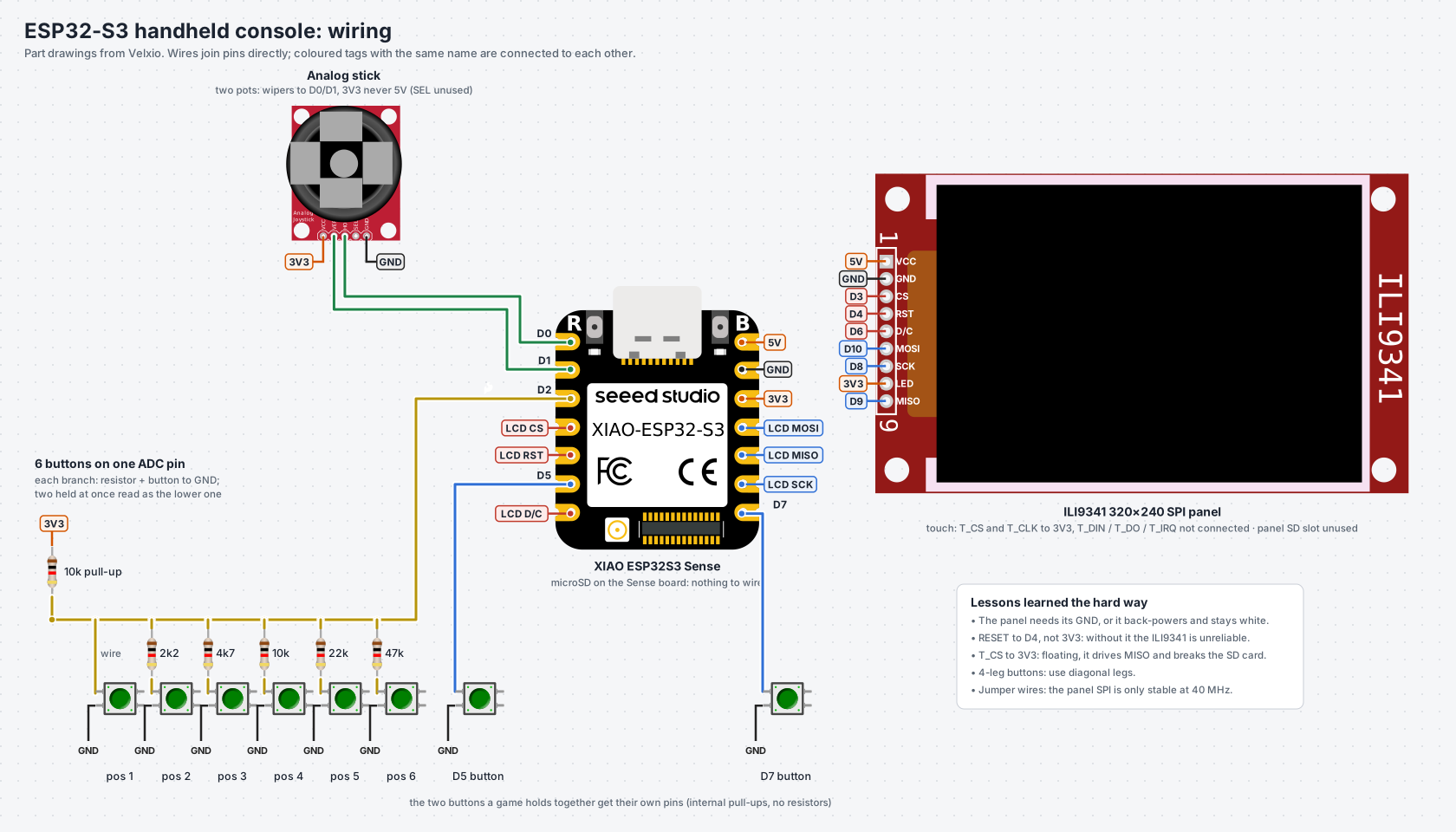
The goal was a handheld console. It is the same hardware that later ran Metal Gear Solid: SOTN was the first game on it. The parts:
- Seeed XIAO ESP32S3 Sense: the same ESP32-S3 SoC with 8 MB PSRAM, 8 MB flash, and a microSD slot on its expansion board.
- ILI9341 320×240 SPI panel: the PlayStation’s native resolution, so no scaling is needed.
- An analog stick taken from a drone controller.
- Eight buttons.
The XIAO has eleven usable pins. The panel needs five (SCK, MOSI, MISO, CS, DC) plus a reset line, and the stick needs two ADC pins. That leaves three for eight buttons.
Six of the buttons share one ADC pin through a resistor ladder: a 10k pull-up and, per button, a resistor to ground (0 Ω, 2k2, 4k7, 10k, 22k, 47k). Each button produces a different voltage. The limitation is that two buttons held together read as the lower one. The pair each game holds together (attack and jump in SOTN) gets the two remaining dedicated pins.
The full wiring diagram, parts list and button map are in the hardware guide in the repository.
Bring-up was its own list of lessons. Before touching the game, I wrote a separate shakedown firmware that draws color bars and shows every button and the stick on screen:
- The panel was white, and got dimmer when I pressed buttons. It had no ground wire, so it was powering itself through the protection diodes on its data pins. Adding GND fixed it instantly.
- The panel was an ILI9341 rather than the ILI9488 I had planned for. It is a different controller with a different pixel format (RGB565 over SPI instead of RGB666). Its driver isn’t built into ESP-IDF and comes from the component registry.
- A real reset line matters. With RESET strapped high and only a software reset, the panel didn’t start reliably.
- Four-leg buttons: two legs on the same side are already connected inside. If you wire those, the button is always pressed. Use diagonal legs.
- The stick drifted by itself. A drone gimbal rests wherever its springs put it (2317 of 4095 on mine, where you might assume 2048), and the ADC is noisy. The fix:
- Calibrate the centre at boot.
- Learn each axis’s travel as it is used.
- Average 8 samples.
- Apply a dead zone of 60 counts, four times the noise measured at rest.
- The Y axis was inverted twice. The shakedown firmware negated Y so that “up moves the dot up” on a screen whose Y grows downward. The game takes direction bits, where up is just up. Carrying the screen convention across inverted it again.
The handheld: display, input and a crash caught by a watchpoint
Everything on the SD card
8 MB of flash can’t hold a 3 MB app next to 3.7 MB of game data, so on the handheld all the data comes from the microSD card. That card shares the SPI bus with the panel, which later caused its own crash (see “The shared SPI bus” below).
Two traps specific to this board
GPIO43 is both the panel’s data/command pin and UART0 TX. The Waveshare code installed the UART driver for its serial console. Doing that silently hands the pin back to the UART, and the panel stops distinguishing commands from pixels. The handheld uses native USB for its console only.
printf over native USB blocks when nobody is reading. With a PC attached you never notice. Unplugged, the transmit buffer fills in a few seconds and the game stops inside a printf, on a device that is meant to run unplugged. All output, including ESP-IDF’s own logging, now goes through a wrapper that writes with a zero timeout and drops what nobody reads.
Flicker, then sliding rectangles
The first build flickered. I assumed the SPI clock was too slow and raised it from 40 to 80 MHz. That helped a little, but instrumenting the scanout showed what was really happening:
- A frame took about 24 ms to send.
- The game produced one every 16.7 ms.
- So the game lapped the panel: it swapped buffers and started redrawing the one the DMA was still transmitting.
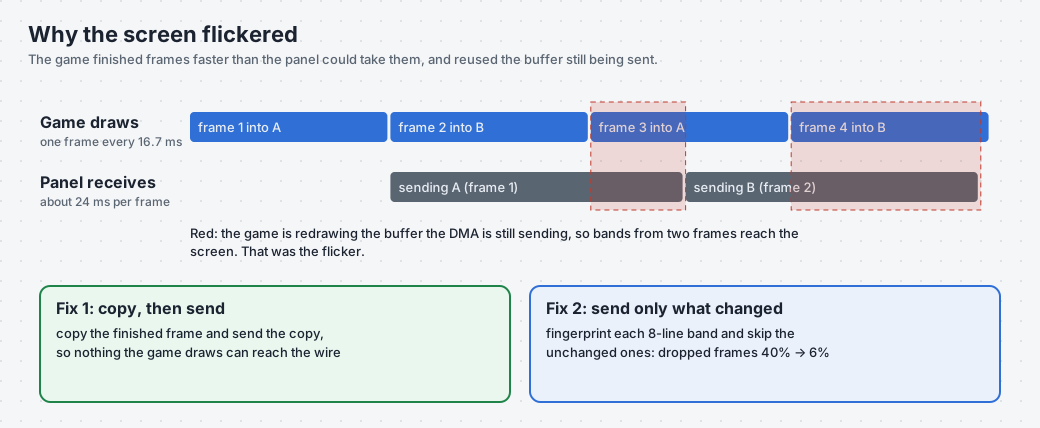
This was a buffer coherence problem. The fix was the copy path the Waveshare port had kept as a safety net: copy the finished frame, then send the copy. My first version of it had two bugs:
- It copied only the rows of the rasterizer’s current clip rectangle, which an effect can shrink to a few rows. The screen froze while the game kept running.
- With two copy buffers, it could overwrite the one still being sent. On a horizontally scrolling scene that shows up as rectangles sliding sideways.
Even after both fixes the rectangles stayed. Dropping the SPI clock back to 40 MHz made them vanish: the jumper wires couldn’t hold 80 MHz, and a byte slip shifts a whole 8-line band. The S3’s SPI clock divides an 80 MHz source, so the only options are 80 and 40 MHz, with nothing in between.
With the wires as the bottleneck, the remaining option was to send less data. Each 8-line band is fingerprinted as it is converted to RGB565, and bands identical to what the panel already shows are skipped. Dropped frames went from about 40% to 6%. That gives roughly 55 fps on screen when the camera is still, while the game logic stays at full speed.
The crash a hardware watchpoint caught
The next report was “I pressed START and it rebooted.” Earlier there had been another: “text appeared, then the screen went white, then it restarted.”
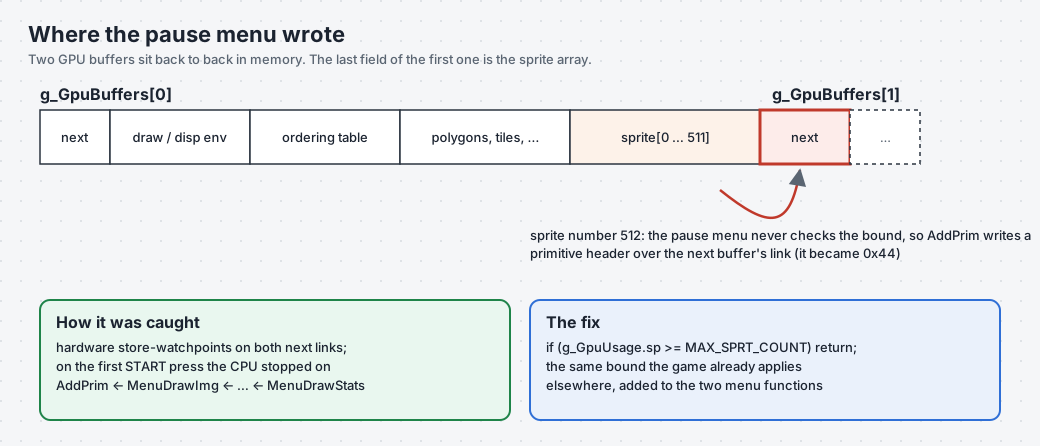
The panic was in ClearOTag, called from the main loop with an ordering-table pointer of 0x4b8. The main loop advances with g_CurrentBuffer = g_CurrentBuffer->next, so working backwards, something had written 0x44 into the next link of one of the two GPU buffers.
The ESP32-S3 has two hardware watchpoints. I armed both, one on each buffer’s next field, two seconds after boot, well after the only legitimate write. Pressing START stopped the CPU on the culprit’s store:
Debug exception reason: Watchpoint 1 triggered
AddPrim ← MenuDrawImg ← MenuDrawChar ← MenuDrawStr ← MenuDrawStats ← MenuDraw
The pause menu takes the next free sprite with &g_CurrentBuffer->sprite[g_GpuUsage.sp] and never checks the bound. sprite[] is the last field of a GPU buffer, and the second buffer starts right after it, beginning with its next link. Drawing the stats text pushed past 512 sprites, and AddPrim wrote a primitive header over the link. The same game checks g_GpuUsage.sp < MAX_SPRT_COUNT elsewhere, but the menu didn’t. Two lines fixed it.
The shared SPI bus
Right after that, a different crash appeared on stage loads: an assertion in the SPI driver, running_cmd == 0. The card started a command while a panel DMA transfer was still on the wire. On the Waveshare board the card only streamed optional music; on the handheld it carries everything.
The fix is a mutex:
- The panel holds it for a frame and drains its in-flight DMA before releasing it.
- The card takes it around each command, by wrapping the driver’s
do_transactionhook.
Instrumenting without misleading yourself
Two lessons from this stretch:
- My serial listener was resetting the board. Opening the port the default way asserts DTR/RTS, which on the S3’s native USB are reset and boot-select. Every time I connected to inspect a frozen screen, I rebooted the board and read a healthy log. The fix is to build the port object, lower both lines, and then open it.
- Measure the whole operation. My first scanout timing split “wait” and “convert” but left out the draw call itself, which blocks when the SPI queue is full. It reported 5 ms for a frame that took 24 ms.
Running each build without flashing the board
After several hours of trial and error, flashing the board after every change was the slowest part of the loop: write the image over USB, wait for the reboot, reconnect the serial port without resetting the board again, read the log, repeat. So to run and check each build I used velxio-cli, the command-line client of Velxio. It takes the same .bin my toolchain produced, runs it on Velxio’s simulated ESP32-S3 for a fixed amount of simulated time and hands back the serial output, so I could read counters and timings without touching the hardware. The board only got a new image when a build was worth it.
# velxio.toml, next to the build: board = "xiao-esp32-s3", firmware = the merged .bin
velxio-cli run --timeout 5000 --timeout-exit-code 0 --serial-log-file serial.log .
Installing it and doing a first run takes a few minutes: see the velxio-cli quickstart.
Adding a stage: the memory budget, again
Walking out of the Alchemy Lab leads to the Castle Entrance (NP3). Adding it overflowed internal RAM by 160 KB. The stage’s compressed graphics, palettes, tile maps and sprite tables were declared writable, so they were copied into RAM at boot. Marking them const moved them to flash. The upstream PC port had already added NP3, and that commit came across cleanly.
Two more discoveries:
- Richter’s sprites (the prologue character) were 85 KB of writable data in RAM, never used in normal play. Marking them
constagain meant that, after adding NP3, internal RAM usage was lower than before. - The linker reported 16 duplicate symbols between NP3 and the other stages. There were 31. Comparing the symbol tables with
nmfound the other 15, includingEntitySlograandEntityGaibon: boss code that NP3 would have silently borrowed from the Alchemy Lab.
The generated files are regenerated from each user’s disc, so the const changes live in a script (esp32/const_stage_tables.py) rather than in the generated sources.
Advice for a similar port
- Choose a decompilation that already builds a portable target. That is what makes a native port possible where an emulator is not.
- Make the board tell you what’s wrong. Use counters, timings split into their parts, and frame checksums. Most of my wrong hypotheses were disproved by a number.
- A backtrace names the victim. For memory corruption, a hardware watchpoint on the corrupted address names the culprit.
- Memory is the performance budget. On this SoC, fewer PSRAM accesses beat clever arithmetic every time.
- The original hardware’s tolerance hides bugs. Expect to find some.
Status and next steps
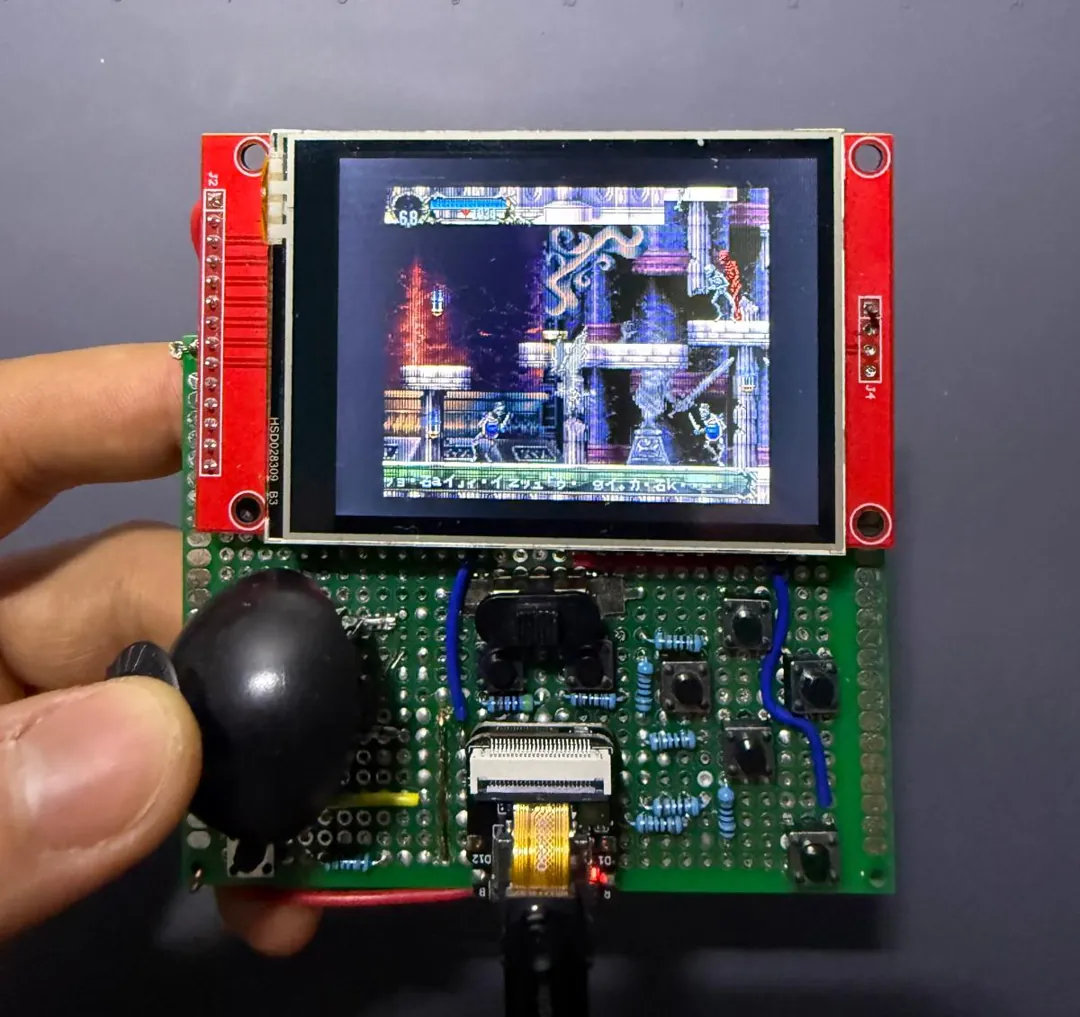
- Waveshare board: Alchemy Laboratory at 60 fps.
- Handheld: game logic at full speed, screen around 55 fps when the camera is still.
- Stages linked: Alchemy Lab, Warp Room, and the title/save menu. Castle Entrance is linked and awaiting its first test on the handheld.
- Sound: effects work, and XA music plays when the disc image is on the card.
- Next: more stages (the memory budget now has room), and a soldered harness for the handheld to try 80 MHz SPI again.
The code is on GitHub at davidmonterocrespo24/sotn-decomp (branch esp32-port). The wiring diagram and parts list are in the hardware guide. You need your own copy of the game; the repository contains no game data.
Thanks to the SOTN decompilation contributors, and to Xeeynamo for psyz. This project is built on their work.