
Raspberry Pi 1 Model B+ Simulator
The original Pi, still runnable
Simulate the Raspberry Pi 1 Model B+: Python 3, RPi.GPIO, gpiozero and smbus2 against a wired circuit, and a QEMU Linux guest with a shell when a script needs one.
Three free 15-minute trial sessions · Then Maker and Pro plans · Runs in your browser
Raspberry Pi 1 Model B+ at a glance
A lot of classroom material and old projects still target the Model B+ and its 40-pin header. Velxio keeps that board runnable: the header is the same one the newer Pis carry, the Python libraries are the ones the tutorials use, and the Linux guest boots a single-core 32-bit ARM profile like the original.
- Processor
- BCM2835, single-core ARM at 700 MHz
- Memory
- 512 MB RAM
- Emulation
- Python in the browser + QEMU Linux guest (32-bit ARM)
- Languages
- Python 3
- Made by
- Raspberry Pi
- Plan
- Trial, then Maker or Pro
What you can do with the Raspberry Pi 1 Model B+ simulator
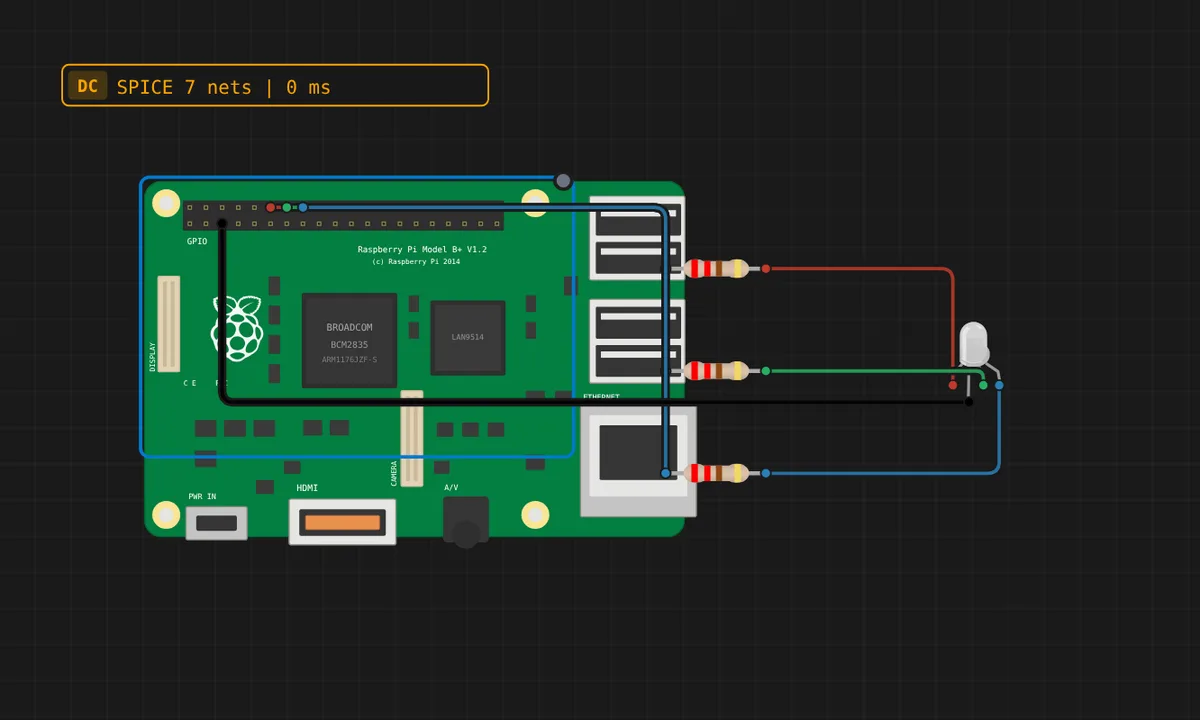
The board on the canvas is the real thing as far as your code is concerned: the same pins, the same buses, the same peripherals, wired to the same 100+ sensors, displays and actuators every other Velxio board talks to.
Python 3 with the real libraries
RPi.GPIO, gpiozero, smbus2, spidev and pyserial work as they do on the bench. Scripts start in seconds on the in-browser engine; third-party packages come from a requirements.txt.
GPIO, PWM and ADC
Drive LEDs, relays and servos, read buttons and potentiometers, dim with PWM. Every pin follows the board's real pin map, so what works here works on the hardware.
I2C, SPI and UART
Talk to OLEDs, IMUs, ADCs, RTCs and SD cards over the buses the board really has. Bus traffic runs through emulated peripherals, not through a shortcut.
A Linux shell when you need one
Linux mode boots an Alpine guest under QEMU on our servers with a real terminal and python3. It is not Raspberry Pi OS: no apt, no desktop, no network from inside the guest.
Multi-board canvas
Mix this board with an Arduino, an ESP32 or a Pico on the same canvas and let them talk over serial or I2C, each running its own firmware.
Try it before you subscribe
A free account gets three 15-minute trial sessions on this board family; every run inside a session is free. Unlimited runs are part of the Maker and Pro plans and of Velxio Desktop.
Raspberry Pi 1 Model B+ examples
Ready-to-run projects for this board from the gallery. Open one, read the sketch, press Run.
Related simulators
Frequently asked questions
- Why simulate a Pi 1 instead of a Pi 4?
- Because the project you are following was written for it. Timing-sensitive scripts and 32-bit-only wheels behave the way the tutorial describes, and the header is identical, so the wiring diagram matches.
- How fast is the emulated Pi 1?
- The Python engine in the browser starts scripts in seconds regardless of the board. The Linux guest emulates a single ARM core, so a shell session feels like a slow Pi, which is what a Pi 1 is.
- Can I use the 26-pin Model B?
- The board in the catalog is the B+ with the 40-pin header. The first 26 pins are the same as on the Model A and B, so a 26-pin wiring diagram maps onto it directly.
- Is the Raspberry Pi 1 Model B+ simulator free?
- Partly. You can build and save a Raspberry Pi 1 Model B+ circuit with any account, and a free account gets three 15-minute trial sessions to run it; every run inside a session is free. Unlimited runs boot a Linux guest on our servers, so they are part of the Maker and Pro plans, or of Velxio Desktop with a paid licence.
- Which languages can I use on the Raspberry Pi 1 Model B+?
- Python 3. The language is switched from the toolbar; the circuit on the canvas stays the same.
Ready to simulate the Raspberry Pi 1 Model B+?
Open the editor, place the Raspberry Pi 1 Model B+ from the picker, wire what you need and press Run.
Launch the Raspberry Pi 1 Model B+ simulator →