
XIAO MG24 Sense Simulator
Silicon Labs' EFR32MG24 with a live IMU
Simulate the Seeed Studio XIAO MG24 Sense online for free: the Silicon Labs Arduino core on an in-browser Cortex-M33 engine, a live 6-axis IMU, and GPIO, ADC, PWM, I2C and SPI on a wired canvas.
Free plan · No install, no account · Runs in your browser
XIAO MG24 Sense at a glance
The XIAO MG24 Sense runs the firmware the Silicon Labs Arduino core produces on an in-browser engine; Serial reaches the monitor through the board's own USB bridge, and Wire, SPI, the ADC and PWM run. The IMU is live from the Sensors popover, and, as on the real board, the part only answers once the sketch has powered it from PD5.
- Processor
- Silicon Labs EFR32MG24, Cortex-M33 at 78 MHz
- Memory
- 256 KB RAM · 1536 KB flash
- Emulation
- efr32mg24js (in-browser)
- Languages
- Arduino C++
- Plan
- Free
What you can do with the XIAO MG24 Sense simulator
The board on the canvas is the real thing as far as your code is concerned: the same pins, the same buses, the same peripherals, wired to the same 100+ sensors, displays and actuators every other Velxio board talks to.
Live 6-axis IMU
Press Sensors on the canvas toolbar and drag the Tilt pad: the part reports that gravity at its real I2C address, and your orientation code reacts.
Arduino C++ sketches
Write a sketch in the Monaco editor with library completion, compile it against the board's own Arduino core and run the real firmware binary. The Serial Monitor is the USB port.
GPIO, PWM and ADC
Drive LEDs, relays and servos, read buttons and potentiometers, dim with PWM. Every pin follows the board's real pin map, so what works here works on the hardware.
I2C, SPI and UART
Talk to OLEDs, IMUs, ADCs, RTCs and SD cards over the buses the board really has. Bus traffic runs through emulated peripherals, not through a shortcut.
Serial Monitor
USB CDC serial reaches the Serial Monitor at the sketch's baud rate, with input, timestamps and a plotter.
What is not emulated
The radio (Bluetooth, Zigbee, Thread or WiFi, depending on the chip) is not modelled. Everything wired to the pins is; the wireless part of a project stays on the bench.
XIAO footprint
The thumbnail-sized XIAO pinout: D0 to D10 with the I2C, SPI and UART pads where every XIAO has them, so projects move between XIAO boards with a pin map check.
SPICE analog parts
Op-amps, transistors, regulators and passives simulate in real time with ngspice in the browser; the board's pins drive them and read the solved voltages back.
XIAO MG24 Sense examples
Ready-to-run projects for this board from the gallery. Open one, read the sketch, press Run.
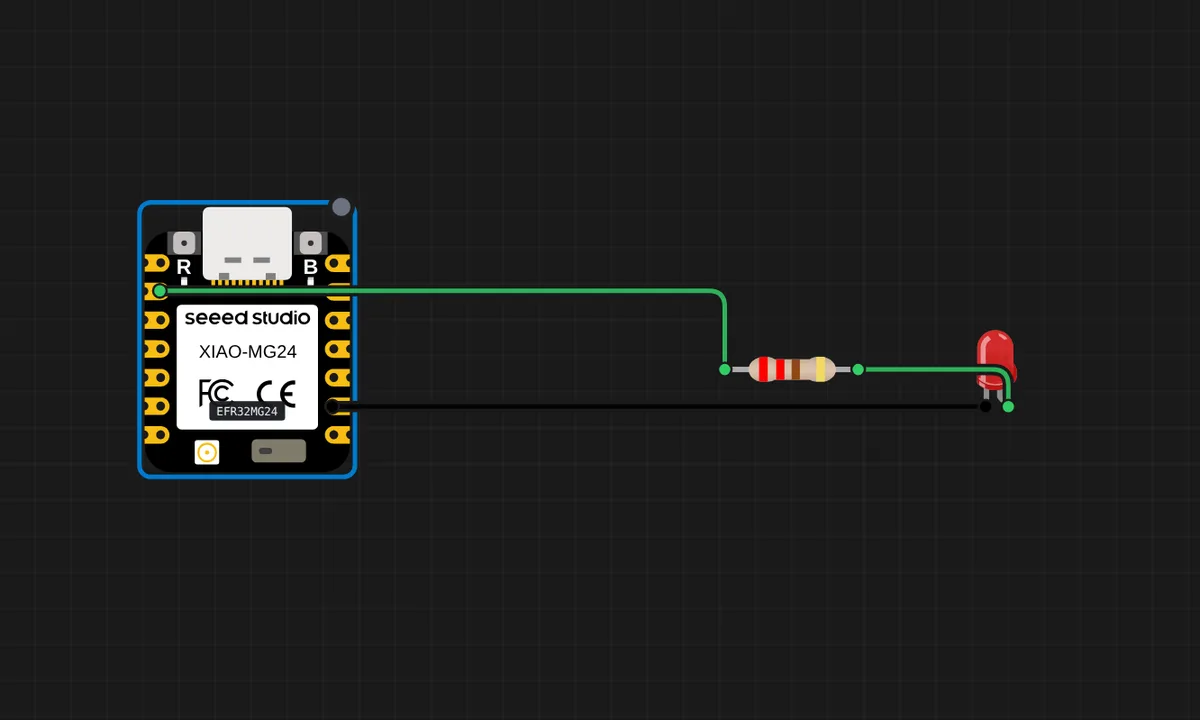 XIAO MG24 Sense: BlinkBlink an LED on D1 and count on the serial monitor - the first thing to try on the XIAO MG24 Sense, running on its own in-browser engine.
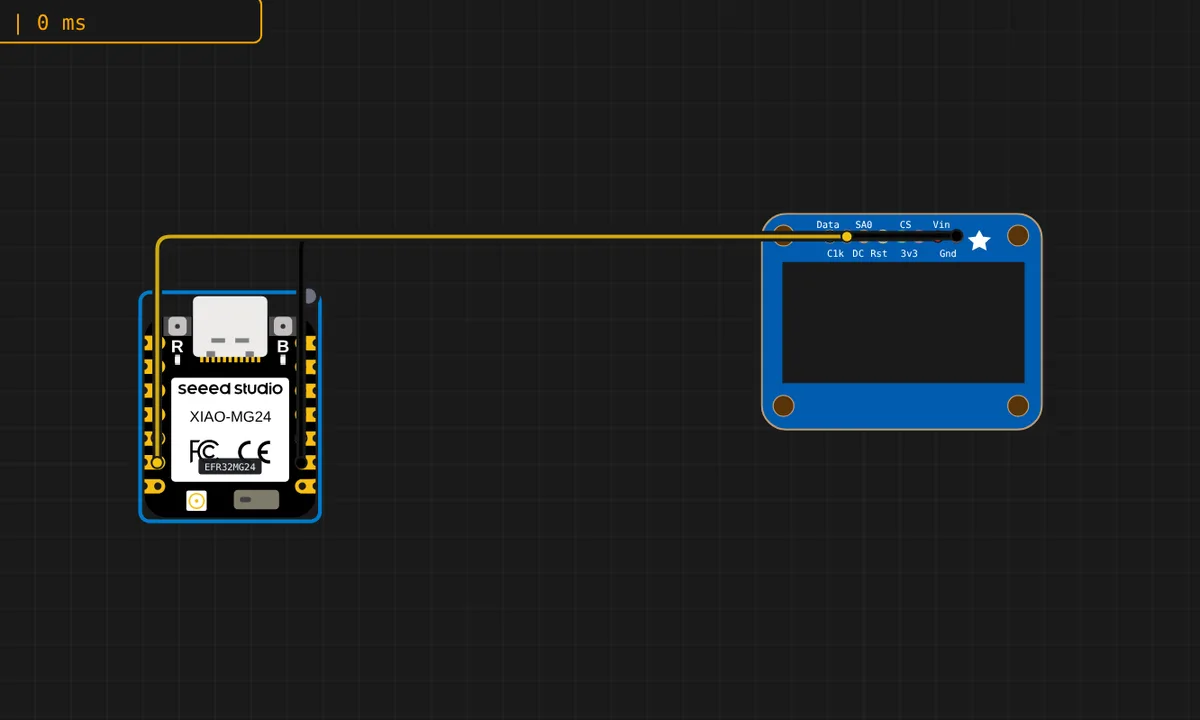 XIAO MG24 Sense: OLED over I2CWrite text to a 128x64 SSD1306 on the XIAO MG24 Sense's I2C pads (D4/D5) with U8g2, and mirror it on the serial monitor.
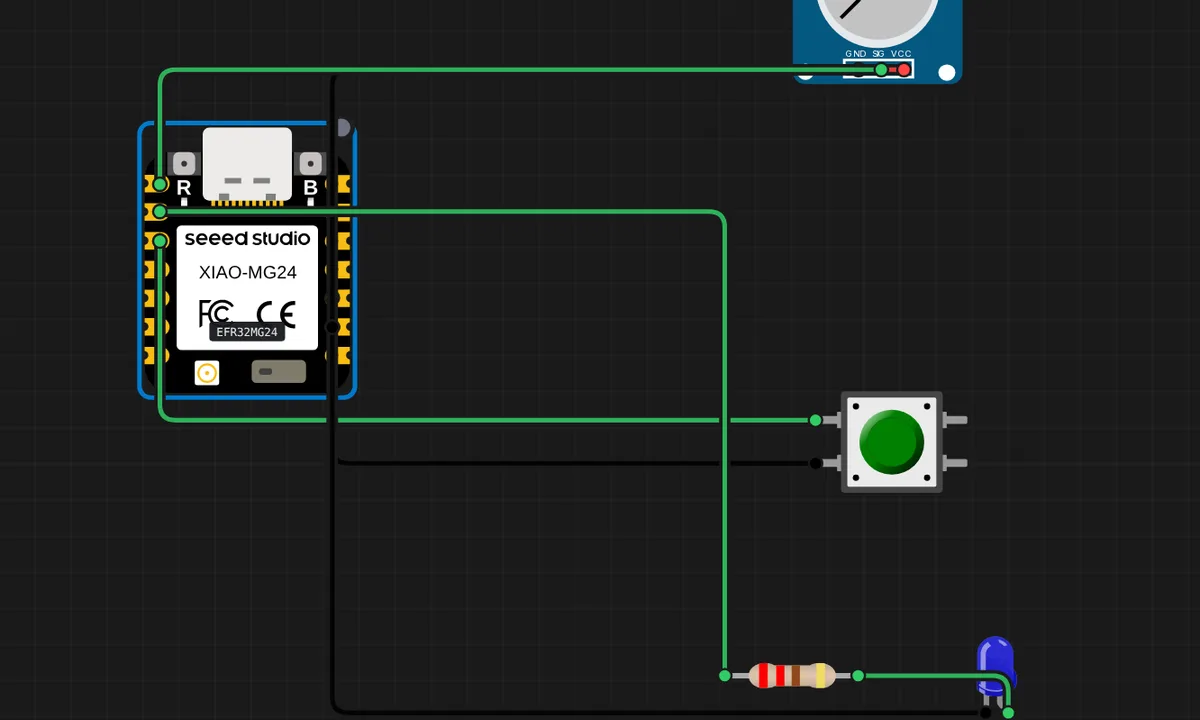 XIAO MG24 Sense: Knob and buttonRead a potentiometer on D0 and a pull-up button on D2 of the XIAO MG24 Sense; the button lights the LED and both values print on the serial monitor.
Related simulators
Frequently asked questions
- Why does the IMU not answer at first?
- Because the real board gates the sensor's supply on PD5. The simulator does the same: power it from the sketch as Seeed's examples do, then read it.
- Is the Matter or Bluetooth radio emulated?
- No. The radio is not modelled; the pins, the buses and the IMU are.
- Is the XIAO MG24 Sense free to simulate?
- Yes. It runs on the free plan, with no install and no account required.
- Is the XIAO MG24 Sense simulator free?
- Yes. The XIAO MG24 Sense runs on the free plan: open the editor, place the board and press Run. No install and no account are needed, and Velxio's editor and simulator core are open source under the GNU AGPLv3.
- Which languages can I use on the XIAO MG24 Sense?
- Arduino C++. The language is switched from the toolbar; the circuit on the canvas stays the same.
Ready to simulate the XIAO MG24 Sense?
Open the editor, place the XIAO MG24 Sense from the picker, wire what you need and press Run.
Launch the XIAO MG24 Sense simulator →