
Raspberry Pi 4 Model B Simulator
Python, GPIO, I2C, SPI, 1-Wire and a camera, in your browser
Simulate a Raspberry Pi 4 Model B without the hardware: Python 3 with gpiozero, smbus2, spidev, w1thermsensor and picamera2 against a wired circuit, or a 64-bit ARM Linux guest with a real shell.
Three free 15-minute trial sessions · Then Maker and Pro plans · Runs in your browser
Raspberry Pi 4 Model B at a glance
The Pi 4 is the board most Raspberry Pi tutorials assume, and its page here has the deepest set of examples in the family: an MPU6050 over I2C, an MCP3008 over SPI, DS18B20 sensors on 1-Wire, a dashboard that uses every bus at once, and OpenCV edge detection on frames from a virtual camera. All of it is Python you could paste onto a real Pi 4.
- Processor
- BCM2711, quad-core Cortex-A72 at 1.5 GHz
- Memory
- 1 to 8 GB LPDDR4
- Emulation
- Python in the browser + QEMU Linux guest (64-bit ARM)
- Languages
- Python 3
- Made by
- Raspberry Pi
- Plan
- Trial, then Maker or Pro
What you can do with the Raspberry Pi 4 Model B simulator
The board on the canvas is the real thing as far as your code is concerned: the same pins, the same buses, the same peripherals, wired to the same 100+ sensors, displays and actuators every other Velxio board talks to.
Python 3 with the real libraries
RPi.GPIO, gpiozero, smbus2, spidev and pyserial work as they do on the bench. Scripts start in seconds on the in-browser engine; third-party packages come from a requirements.txt.
GPIO, PWM and ADC
Drive LEDs, relays and servos, read buttons and potentiometers, dim with PWM. Every pin follows the board's real pin map, so what works here works on the hardware.
I2C, SPI and UART
Talk to OLEDs, IMUs, ADCs, RTCs and SD cards over the buses the board really has. Bus traffic runs through emulated peripherals, not through a shortcut.
Camera
The camera is emulated: point it at an image or a synthetic scene and the sketch receives real frames, so vision and streaming projects run end to end.
A Linux shell when you need one
Linux mode boots an Alpine guest under QEMU on our servers with a real terminal and python3. It is not Raspberry Pi OS: no apt, no desktop, no network from inside the guest.
Multi-board canvas
Mix this board with an Arduino, an ESP32 or a Pico on the same canvas and let them talk over serial or I2C, each running its own firmware.
Try it before you subscribe
A free account gets three 15-minute trial sessions on this board family; every run inside a session is free. Unlimited runs are part of the Maker and Pro plans and of Velxio Desktop.
Raspberry Pi 4 Model B examples
Ready-to-run projects for this board from the gallery. Open one, read the sketch, press Run.
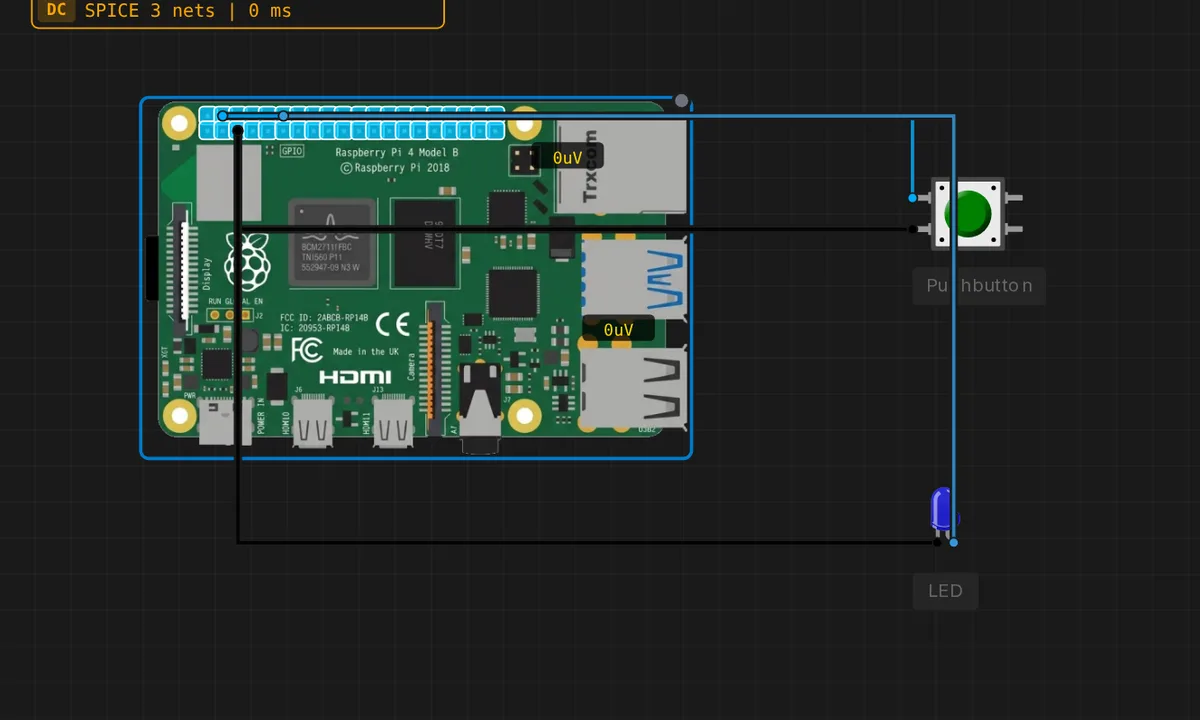 [Pi 4] Button Toggles LEDRaspberry Pi 4 reads a push button on GPIO2 and toggles an LED on GPIO17 with gpiozero. Start the Pi, Upload, run python3 /home/pi/script.py, then click the button.
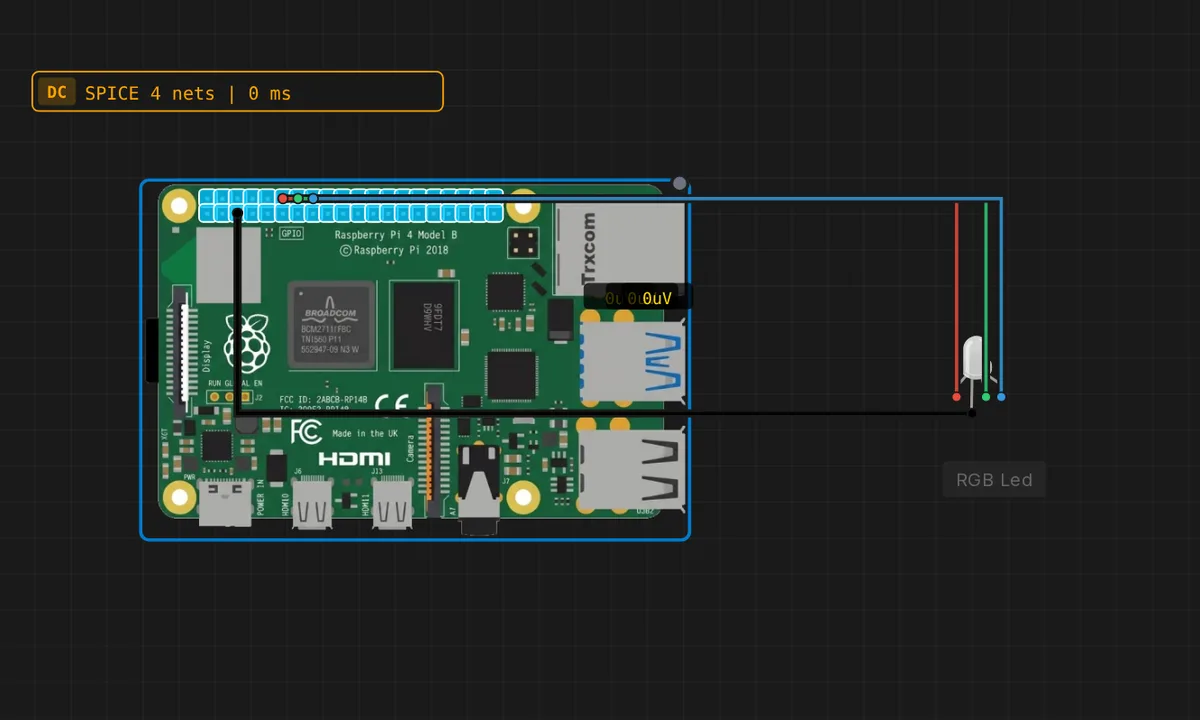 [Pi 4] RGB LED Color CycleRaspberry Pi 4 cycles a common-cathode RGB LED through 7 colors using digital on/off on GPIO17/27/22 (gpiozero RGBLED, pwm=False). Start the Pi, Upload, run python3 /home/pi/script.py
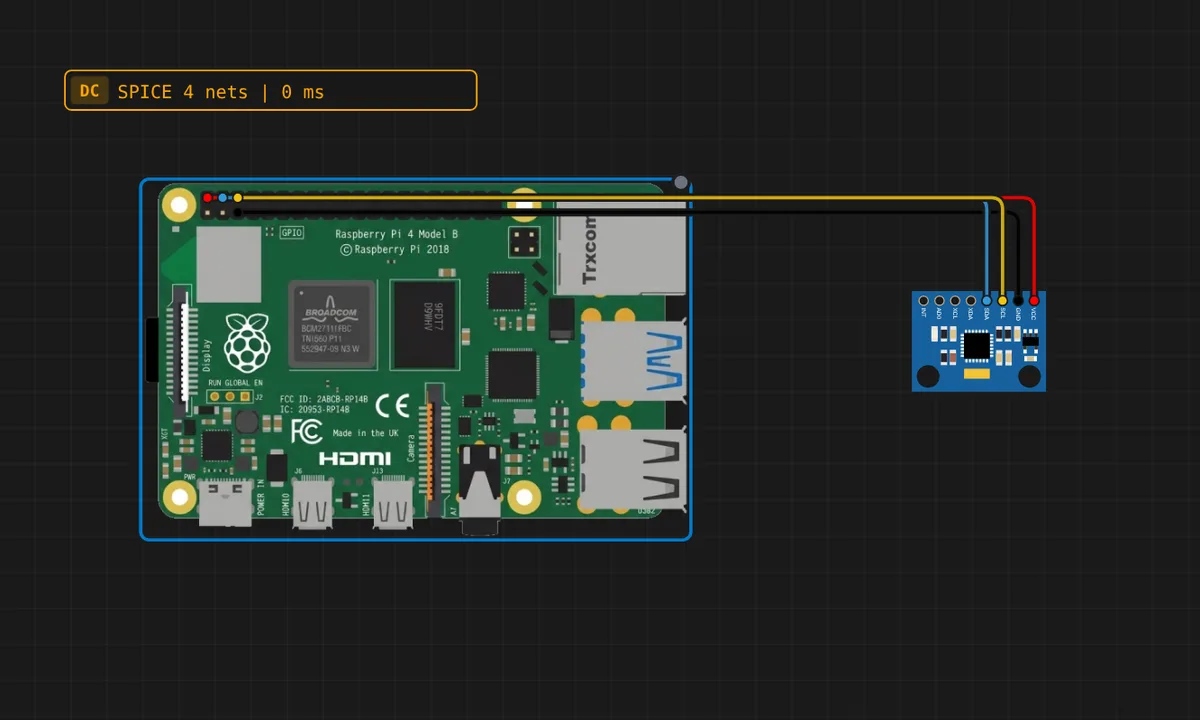 [Pi 4] MPU6050 over I2C with smbus2A Raspberry Pi 4 reads an MPU6050 accelerometer and gyroscope on the header I2C bus (SDA on GPIO2, SCL on GPIO3) with smbus2, the library real Pi projects use. It checks the chip id first, wakes the sensor and prints acceleration and rotation twice a second. Runs right away, no boot to wait for.
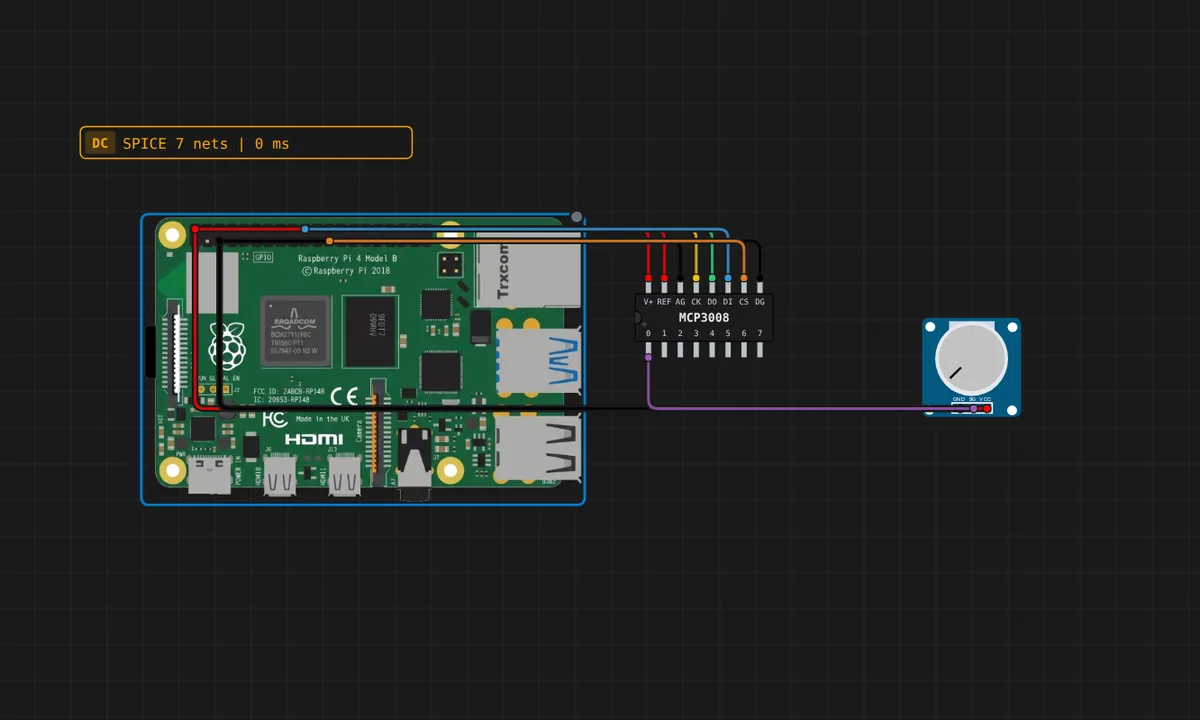 [Pi 4] Potentiometer through an MCP3008 (SPI) with spidevA Raspberry Pi has no analog input, so a knob reaches it through an ADC. An MCP3008 on the header SPI bus (CE0) turns the potentiometer into 0-1023 and Python reads it with spidev, byte for byte what the datasheet shows. Turn the knob while it runs. Runs right away, no boot to wait for.
 [Pi 4] Two DS18B20 probes on 1-Wire with w1thermsensorTwo DS18B20 temperature probes share GPIO4, the Pi's 1-Wire bus, with the 4.7k pull-up to 3V3. Python finds them under /sys/bus/w1 with w1thermsensor, the library Pi projects use, and prints each temperature every second. Drag a probe's slider while it runs.
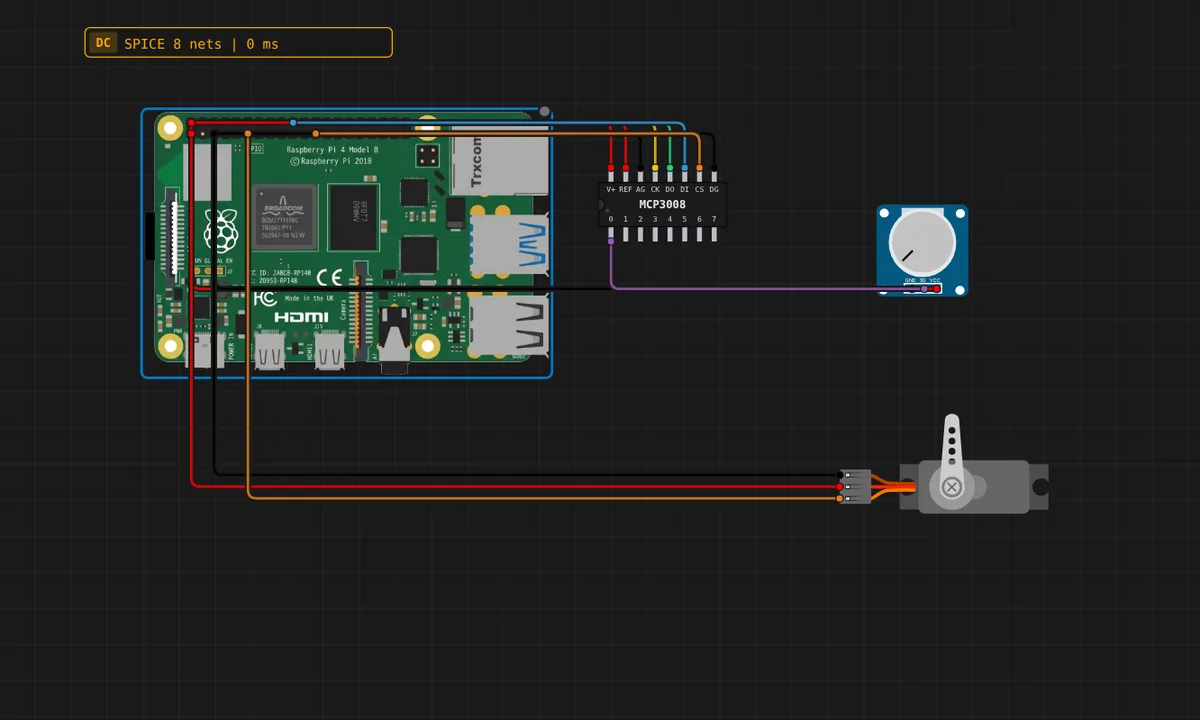 [Pi 4] A knob that moves a servo (MCP3008 + PWM)Analog in, PWM out: the potentiometer goes through an MCP3008 on the SPI bus (the Pi has no ADC) and gpiozero's Servo turns the angle into a pulse width. Turn the knob while it runs and the horn follows.
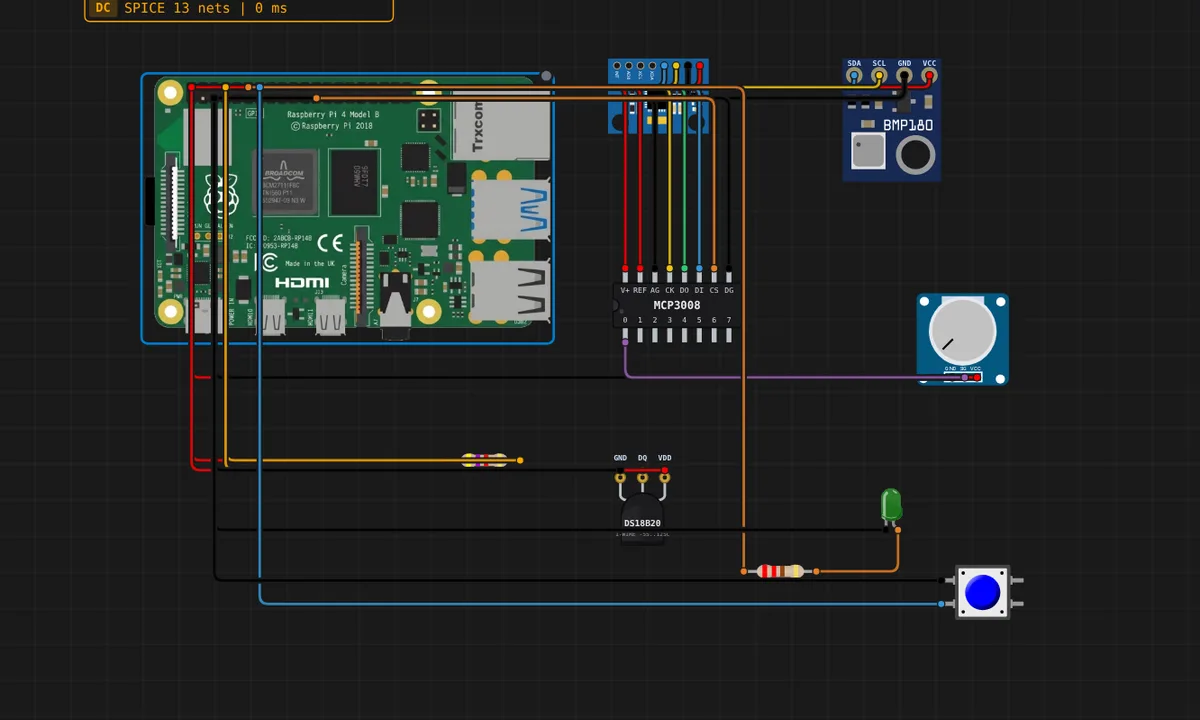 [Pi 4] Everything at once: I2C, SPI, 1-Wire and GPIOOne Pi 4 wired to five parts on four different buses: MPU6050 and BMP280 on I2C, a potentiometer through an MCP3008 on SPI, a DS18B20 on 1-Wire, plus an LED and a button on plain GPIO. The script prints one line per bus every second, so anything that stops answering is obvious. The one to open to see the whole Pi working.
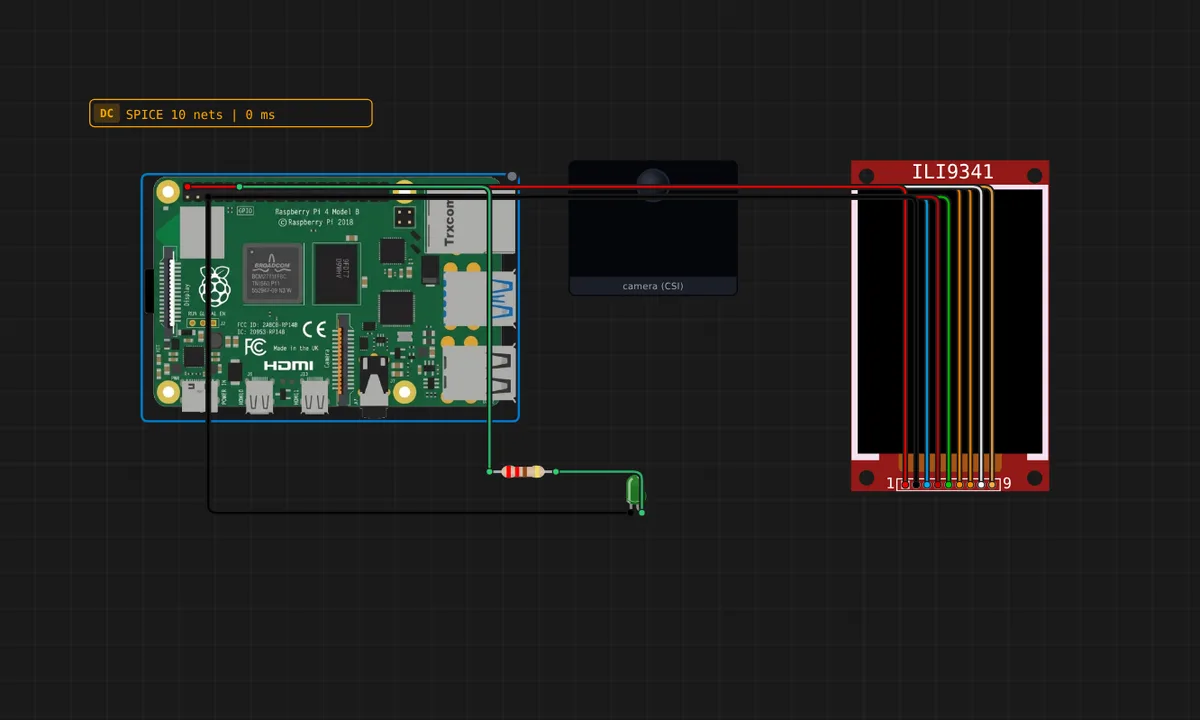 [Pi 4] The CSI camera with OpenCV: edges on a wired panelThe camera every Pi project uses, on the ribbon instead of the header, so it needs no wires. picamera2 hands the frames to OpenCV, Canny finds the edges, the ILI9341 panel wired to SPI0 shows them and an LED lights when the picture gets busy. The frames are your own webcam (the browser asks the first time the script captures one) or a test pattern if you would rather not. In the browser engine the pixels never leave your browser; in Linux mode they are sent to the server only after you allow it, for that session.
Related simulators
Frequently asked questions
- Does picamera2 work on the simulated Pi 4?
- Yes. The camera bridge feeds picamera2 real frames from an image or a synthetic scene, so OpenCV pipelines run end to end. The gallery's edge-detection example is the place to start.
- Which buses are emulated on the Pi 4?
- I2C on GPIO2/GPIO3 through smbus2, SPI through spidev, UART through pyserial and 1-Wire for DS18B20 sensors through w1thermsensor. The all-buses dashboard example exercises them together.
- Is the simulated Pi 4 64-bit?
- Yes. The Linux guest runs a 64-bit ARM kernel under QEMU with a Cortex-A72 profile. The Python engine in the browser does not depend on the CPU profile.
- What does the Pi 4 simulator cost?
- The editor is free. Running a Pi 4 draws on the Raspberry Pi trial (three 15-minute sessions on a free account) and is unlimited on the Maker and Pro plans and in Velxio Desktop.
- Is the Raspberry Pi 4 Model B simulator free?
- Partly. You can build and save a Raspberry Pi 4 Model B circuit with any account, and a free account gets three 15-minute trial sessions to run it; every run inside a session is free. Unlimited runs boot a Linux guest on our servers, so they are part of the Maker and Pro plans, or of Velxio Desktop with a paid licence.
- Which languages can I use on the Raspberry Pi 4 Model B?
- Python 3. The language is switched from the toolbar; the circuit on the canvas stays the same.
Ready to simulate the Raspberry Pi 4 Model B?
Open the editor, place the Raspberry Pi 4 Model B from the picker, wire what you need and press Run.
Launch the Raspberry Pi 4 Model B simulator →