
ESP32-CAM Simulator
A camera that delivers real frames, free in your browser
Simulate the AI-Thinker ESP32-CAM online for free: the 2 MP camera feeds real frames to esp_camera, the microSD slot is a real FAT card, and the ESP32 runs Arduino C++, MicroPython or ESP-IDF in your browser.
Free plan · No install, no account · Runs in your browser
ESP32-CAM at a glance
The ESP32-CAM is the DevKit's sensor-carrying cousin: an ESP32 with a camera module and a microSD slot, on a board that breaks out only 16 pins because the camera bus claims most of them. The camera is emulated, not a placeholder: the simulator feeds frames to the firmware, so a webcam sketch produces a real picture in the browser. That is why this board's starter is the webcam demo rather than a blink.
- Processor
- ESP32-S, dual Xtensa LX6 at 240 MHz
- Memory
- 520 KB SRAM · 4 MB PSRAM · 4 MB flash
- Emulation
- esp32js (in-browser)
- Languages
- Arduino C++ · MicroPython · ESP-IDF
- Made by
- AI-Thinker
- Plan
- Free
What you can do with the ESP32-CAM simulator
The board on the canvas is the real thing as far as your code is concerned: the same pins, the same buses, the same peripherals, wired to the same 100+ sensors, displays and actuators every other Velxio board talks to.
Camera
The camera is emulated: point it at an image or a synthetic scene and the sketch receives real frames, so vision and streaming projects run end to end.
microSD slot
The card is a real FAT image, filled with your workspace files automatically; load your own files from the SD Card panel and read them back from the sketch.
WiFi against a virtual access point
The emulator advertises the Velxio-GUEST network: HTTP servers, MQTT clients and NTP sync in your sketch connect and answer, without leaving the browser.
Arduino C++ sketches
Write a sketch in the Monaco editor with library completion, compile it against the board's own Arduino core and run the real firmware binary. The Serial Monitor is the USB port.
MicroPython
Switch the board to MicroPython from the toolbar and run main.py against the same circuit. Drivers are plain .py files in the workspace, copied onto the board's filesystem before your script starts.
ESP-IDF projects
Build a full ESP-IDF project (v5.5.4) with FreeRTOS tasks, sdkconfig and components, and run it on the emulated chip without a devkit on your desk.
GPIO, PWM and ADC
Drive LEDs, relays and servos, read buttons and potentiometers, dim with PWM. Every pin follows the board's real pin map, so what works here works on the hardware.
Serial Monitor
USB CDC serial reaches the Serial Monitor at the sketch's baud rate, with input, timestamps and a plotter.
ESP32-CAM examples
Ready-to-run projects for this board from the gallery. Open one, read the sketch, press Run.
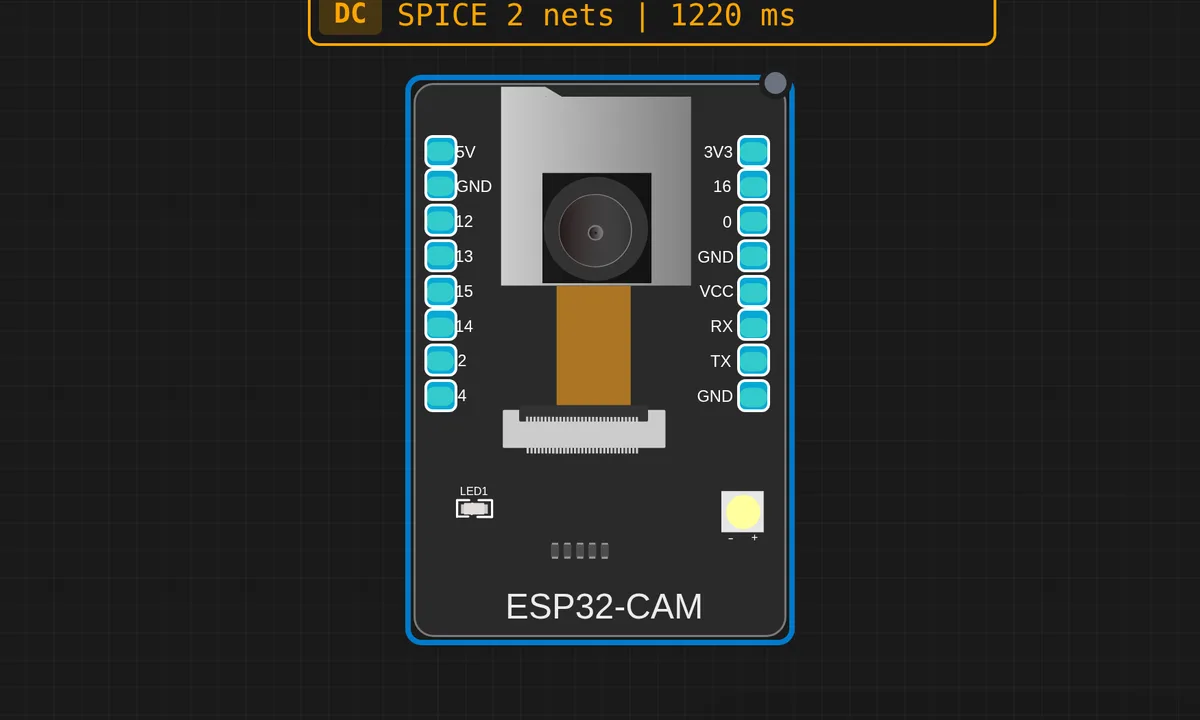 ESP32-CAM: Webcam DemoInit the OV2640 camera, verify chip-id over SCCB, then loop on esp_camera_fb_get() and print frame metadata to Serial. The simplest "is the emulation alive" sketch — click Camera in the canvas header to start streaming your webcam.
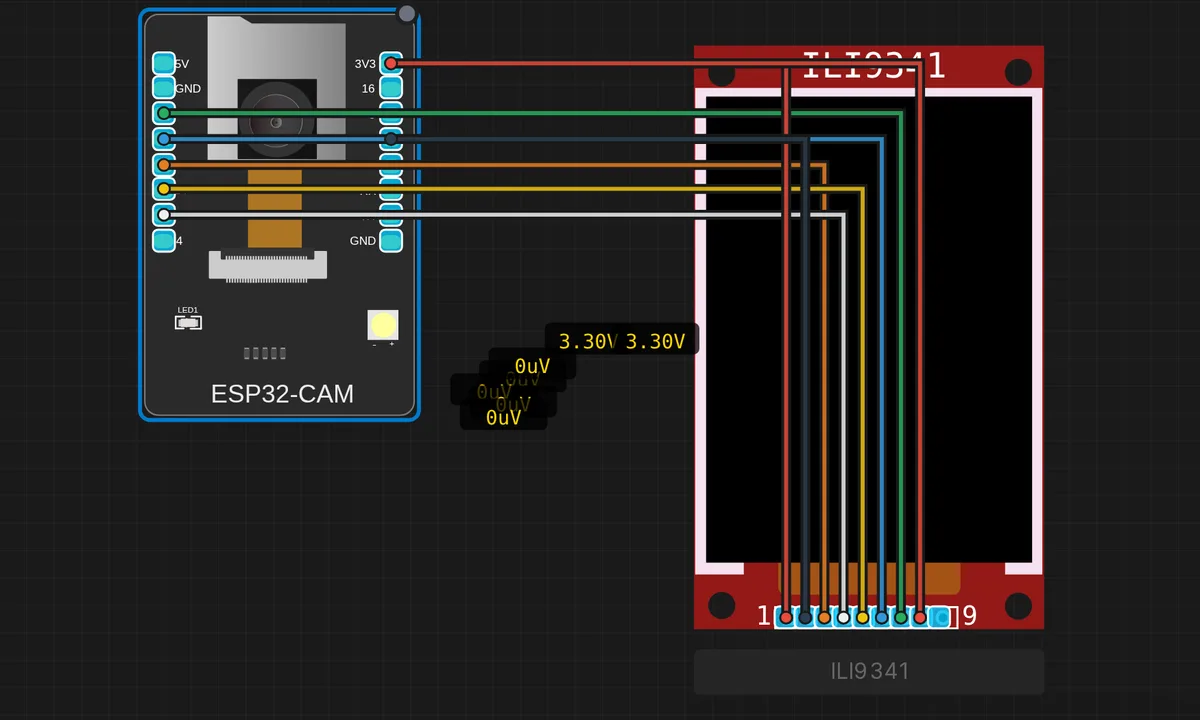 ESP32-CAM + ILI9341 Live PreviewWebcam frames decoded in-place with jpg2rgb565() and rendered to a 320×240 SPI TFT (160×120 centered, 1/2 scale). Status bar shows fps, frame counter, decode-fail counter and a live pulse. Requires Adafruit GFX + Adafruit ILI9341 libraries.
Related simulators
Frequently asked questions
- Does the camera actually work on the simulated ESP32-CAM?
- Yes. esp_camera_init() runs the real camera driver, and each frame the sketch grabs comes from an image, a synthetic scene or your webcam. The webcam demo and the ILI9341 live-preview examples show both paths.
- Can I stream the camera over WiFi?
- Yes. The board joins the Velxio-GUEST virtual access point, and the webcam demo serves its stream from an HTTP server in the sketch, viewed in a second browser tab.
- Why does the ESP32-CAM expose so few pins?
- Because the camera bus and the microSD slot take most of the GPIOs, on the real board as much as here. The pin map on the reference page shows the 16 that are free.
- Is the ESP32-CAM simulator free?
- Yes. The ESP32-CAM runs on the free plan: open the editor, place the board and press Run. No install and no account are needed, and Velxio's editor and simulator core are open source under the GNU AGPLv3.
- Which languages can I use on the ESP32-CAM?
- Arduino C++, MicroPython, ESP-IDF. The language is switched from the toolbar; the circuit on the canvas stays the same.
Ready to simulate the ESP32-CAM?
Open the editor, place the ESP32-CAM from the picker, wire what you need and press Run.
Launch the ESP32-CAM simulator →